



Have you ever experienced having full signal bars on your phone, but still having slow internet?
You can open Facebook, but the posts won’t load. You try watching a YouTube video, but it keeps buffering. You try to send a message, but it won’t send. Sometimes, even a simple website takes forever to open.
It’s frustrating, but here’s something worth knowing: full signal bars don’t automatically mean fast internet.
So, why does this happen, and what can you do about it? Let’s break it down.
What Do the Signal Bars on Your Phone Actually Mean?
Those little bars at the top of your phone screen just give you an idea of how well your device is connected to a nearby cell tower.
However, signal bars don’t tell you exactly how fast your internet is. They also don’t show whether the network is busy or whether other factors are affecting your connection.
You can think of it this way: imagine someone talking to you from across a room.
If they’re close enough, you can hear their voice clearly. But what if several other people are talking at the same time? Even if your friend is speaking loudly, you might still have trouble understanding what they’re saying.
Something similar can happen with mobile networks.
Your phone might be receiving a strong signal from a cell tower, but that doesn’t automatically mean the information being sent to and from your phone can travel quickly.
Here are some reasons why.
4 Reasons Your Internet Can Be Slow Even With Full Bars
1. Too Many People Are Using the Same Network
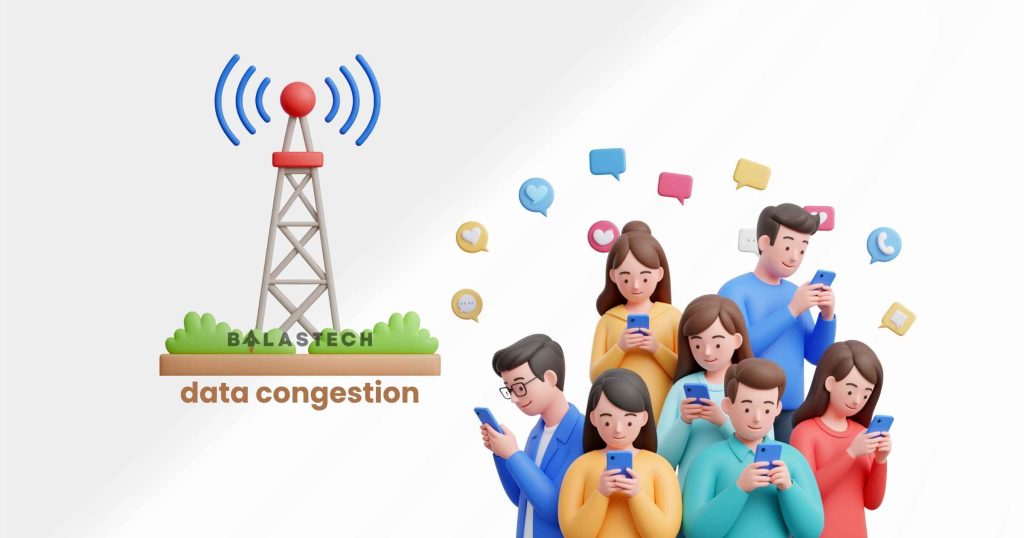
One possible reason is network congestion.
Imagine a highway with several lanes. When there are only a few cars, everyone can move freely. But when hundreds of cars use the same road, traffic starts to build up, and everyone moves more slowly.
Mobile networks can experience something similar.
You know this because your internet is usually slow at malls, concerts, and schools. And when internet seems to be slower at night? It’s because more people are using the internet at the same time as you, and you’re all probably connected to the same cell tower.
In simple terms: Your phone can have a strong connection to the tower, but too many people may be using the network at the same time.
2. Buildings Are Blocking Your Signal
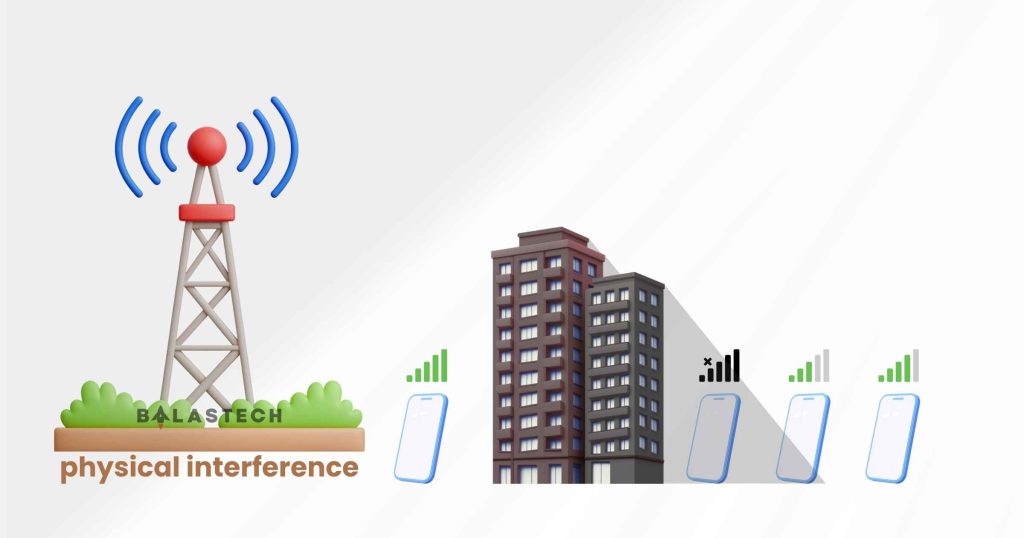
Have you ever noticed that your mobile data works better outside your house than inside? It’s because your surroundings can affect your internet too.
Thick concrete walls and metal objects can weaken or interfere with signals as they travel indoors. So even your distance from a cell tower and the surrounding buildings matter.
This is why using your data near a window works, because it actually connects to the cell tower more easily without physical blockage.
In simple terms: Where you use your phone matters. Your surroundings can affect the quality of your connection.
3. Your Data Plan May Be Limiting Your Speed
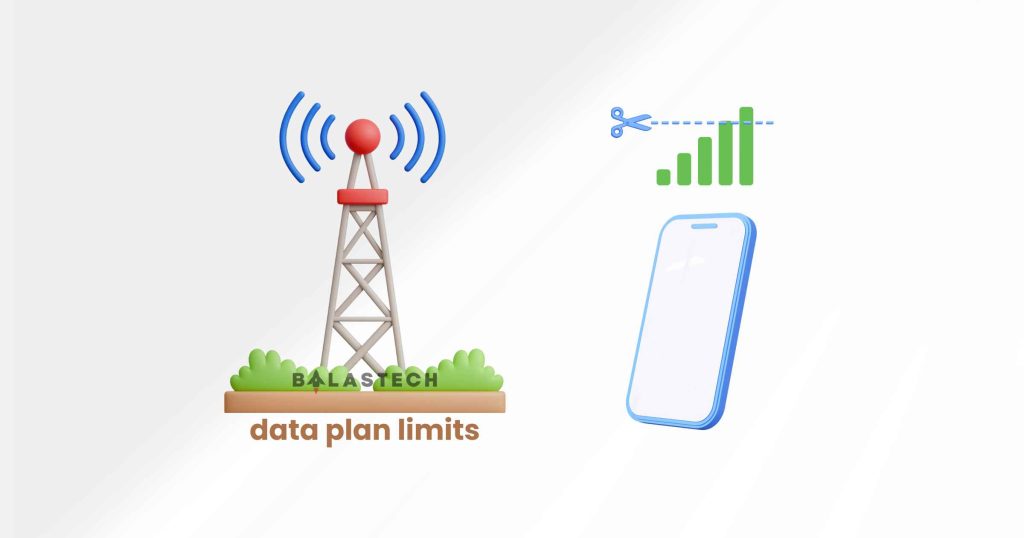
Sometimes, slow internet isn’t caused by a weak signal. It could be your data plan.
Some plans have a limit on how much high-speed data you can use. Once you reach that limit, your internet may become slower, even if you still have data left, or even if you’re on an unlimited promo.
Some plans may also give your connection lower priority when the network is busy. This means other users may get faster speeds while you’re experiencing a slowdown.
So, if your internet suddenly becomes slow despite having full bars, check your data plan’s terms and conditions.
Remember: Unli data doesn’t always mean unli high-speed data.
4. It Could Be Your Phone
Finally, your smartphone itself could be contributing to slow internet.
Not all phones have the same network hardware. Older devices, for example, may not support the same network capabilities as newer models.
Your phone’s settings can also affect your connection.
Some things worth checking include:
- Outdated phone software.
- Background apps that are using mobile data.
- Data-saving settings that restrict certain activities.
- Network settings that may need refreshing.
- Whether your phone is connected to LTE or 5G.
For example, just because your phone displays a 5G icon doesn’t automatically mean you’ll experience faster speeds than LTE. Actual performance depends on several factors, including network conditions, coverage, and the frequency band being used.
It’s not usually the biggest problem, but it won’t hurt to check these things.
Remember: Your phone’s hardware, software, and settings can also affect how well your mobile internet works.
How Can You Fix Slow Internet Even With Full Bars?
Before blaming your phone or switching to another network provider, there are a few things you can try.
Here are some simple troubleshooting steps to make your internet faster:
1. Turn Airplane Mode on and off.
Enable Airplane Mode for a few seconds, then turn it off. This allows your phone to reconnect to the mobile network.
2. Restart your phone.
A simple restart can sometimes resolve temporary software or network connection issues.
3. Try moving to another location.
If you’re indoors, try moving closer to a window or stepping outside. Your phone might receive a better signal in a different spot.
4. Check your data balance and subscription.
Make sure you haven’t exhausted your high-speed data allowance or encountered any speed restrictions under your plan.
5. Check which apps are using your data.
Some apps may continue using mobile data in the background, even when you’re not actively using them.
6. Try switching between LTE and 5G.
If your phone supports both, test each network mode in your current location. In some situations, LTE might perform better than a weak or congested 5G connection. Sometimes, it’s vice versa.
7. Test your connection at another time.
If your internet becomes noticeably slower during busy hours but improves late at night, network congestion could be one possible explanation.
Keep in mind that these steps aren’t guaranteed fixes. The best solution depends on what’s actually causing the problem.
Frequently Asked Questions (FAQs)
Does having full signal bars mean fast internet?
No, not automatically. There are other factors.
Why is my mobile data slow even with full 4G or 5G signal?
Several factors can cause this, including network congestion, signal interference, data plan restrictions, and device-related issues.
Why does my internet become slow during the day?
One possible reason is network congestion. More people may be using mobile data during busy periods, which can increase demand on the available network capacity.
Can too many people connected to one cell tower slow down my internet?
Yes. When many people use the same cell tower, they share its available network capacity. If demand becomes high, internet speeds can decrease.
Can my phone affect my mobile internet speed?
Yes. Your phone’s network hardware, software, supported network bands, and settings can all influence its internet performance.
