



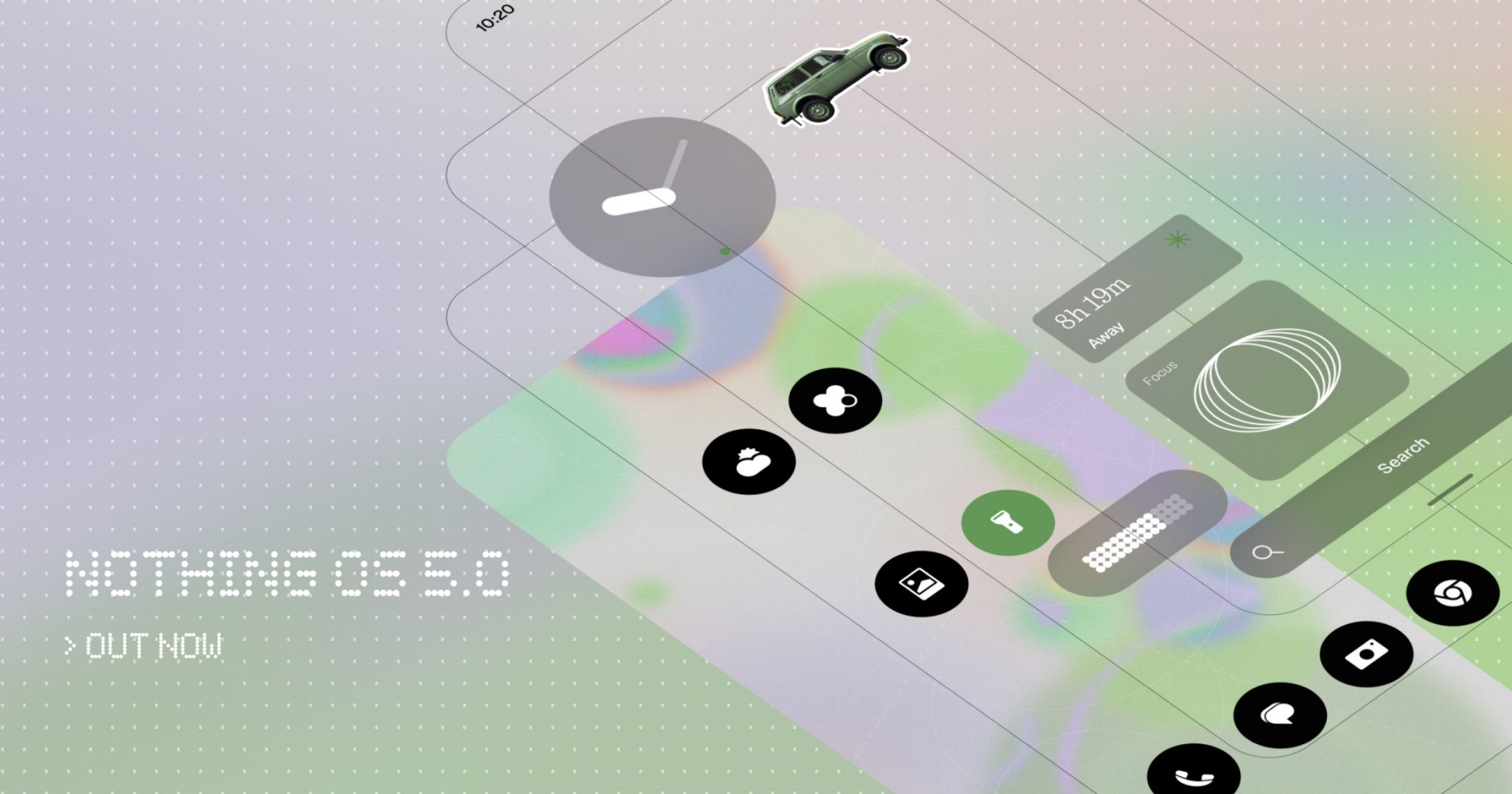
Nothing has officially unveiled Nothing OS 5.0, the latest version of its Android experience.
Nothing OS 5.0 continues the company’s pure Android approach while offering users more control and customization across the system.
A Refreshed and More Adaptive Design
Nothing OS 5.0 introduces a redesigned home screen as an additional theme alongside the existing Nothing OS style. Widgets and the search bar now feature transparent details for a layered look, with similar changes extending to apps like Gallery.
A new adaptive colour system draws from the wallpaper, giving app icons subtle tints while widgets and 1×1 Quick Settings widgets automatically adapt their colours. The status bar, Settings, Camera, and Gallery also get updated icons, spacing, and animations, while Gallery adds new sorting options and a redesigned album view.
The update also brings the Geist typeface, revised text sizing, more consistent corner shapes, unified blur effects, and updated iconography.
New Lock Screen Clocks and Widgets
Two new lock screen clock faces are included: Gooey, with bold and fluid shapes, and Micrographics, a cleaner hardware-inspired design showing the date, time, weather, and upcoming meetings. Their colours can be customized to match the wallpaper.
Users can now select and move multiple apps and widgets simultaneously when editing the home screen.
Two new widgets are also available. Collector lets users build visual collections of favourite objects captured through Camera or Gallery for the home or lock screen. Away Time tracks time spent away from the phone, including the longest break and weekly changes in screen-free time.
Glyph Interface Gets Its Own App
The Glyph Interface now has a dedicated app that brings together its features, sounds, ringtones, and schedules. A new Glyph Timer widget lets users start a timer from the home screen, with the remaining time shown through the Glyph Interface on compatible devices.
Faster and Smoother Performance
The update improves touch response, background app retention, and system resource management, prioritizing the app in use and reducing interruptions when memory is under pressure.
On-device intelligence keeps frequently used apps ready to launch, while overnight maintenance optimizes memory to sustain performance. Animations across apps, folders, widgets, multitasking, and shortcuts have also been refined.
Bluetooth controls in Quick Settings have been redesigned for easier connections, while detected QR codes now remain fixed on the Camera screen for easier tapping.
Expanded Essential AI Tools
Essential Voice delivers faster, cleaner, and better-formatted transcriptions, better determining whether speech should become a list or paragraph while preserving its meaning. Real-time transcription now displays words as users speak, and audio can be captured directly from the Ear (3) case using SuperMic.
Essential Space adds Smart Collections for recommending content to new and existing collections, along with Model Context Protocol (MCP) support that allows other AI tools to search and read selected Essential Space data. The Essential Key experience has also been simplified across the lock screen, home screen, and apps.
Essential Apps Builder is now available directly on the phone, allowing users to describe, build, and deploy AI-powered apps without coding and access them from the home screen.
Built on Android 17
Nothing OS 5.0 separates Notifications and Quick Settings into two panels: swipe down from the left for Notifications and from the right for Quick Settings.
It also introduces cross-platform Quick Share, allowing files to be shared with iPhone and Android devices via QR code without additional apps.
Privacy enhancements show when apps use the camera, microphone, or location, alongside updated screen recording controls and location permissions. Other additions include Noto 3D emojis, expanded Dark Theme support, separate Assistant volume controls, higher-brightness HDR viewing, and a redesigned Recents screen.
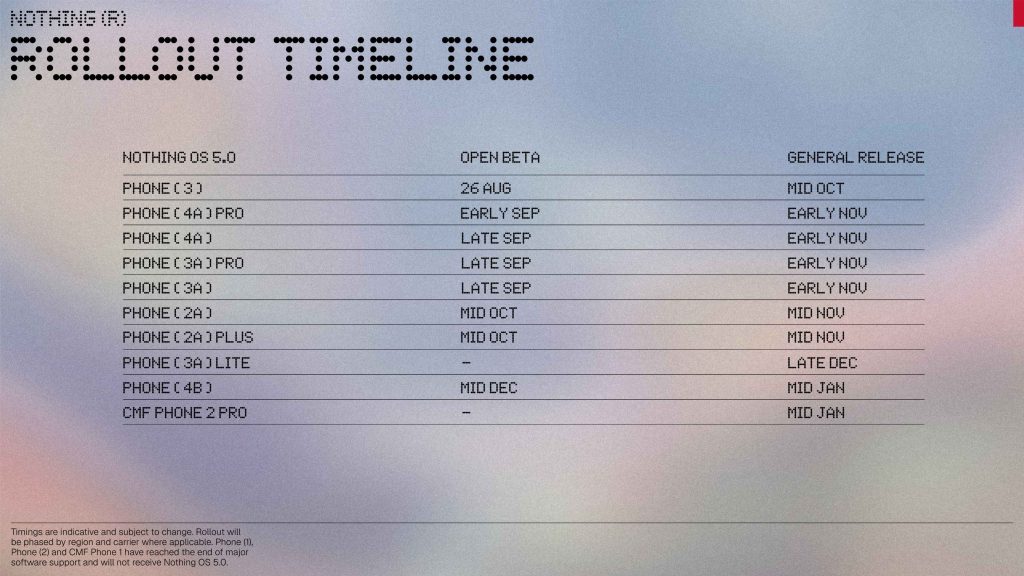
Nothing OS 5.0 Availability
The Nothing OS 5.0 Open Beta begins rolling out on Wednesday, August 26, 2026, at 11:00 BST, starting with the Nothing Phone (3). More eligible devices will join soon, with device-specific rollout dates to be announced separately.
To learn more about the Nothing OS 5.0, just visit the official website of Nothing.
