



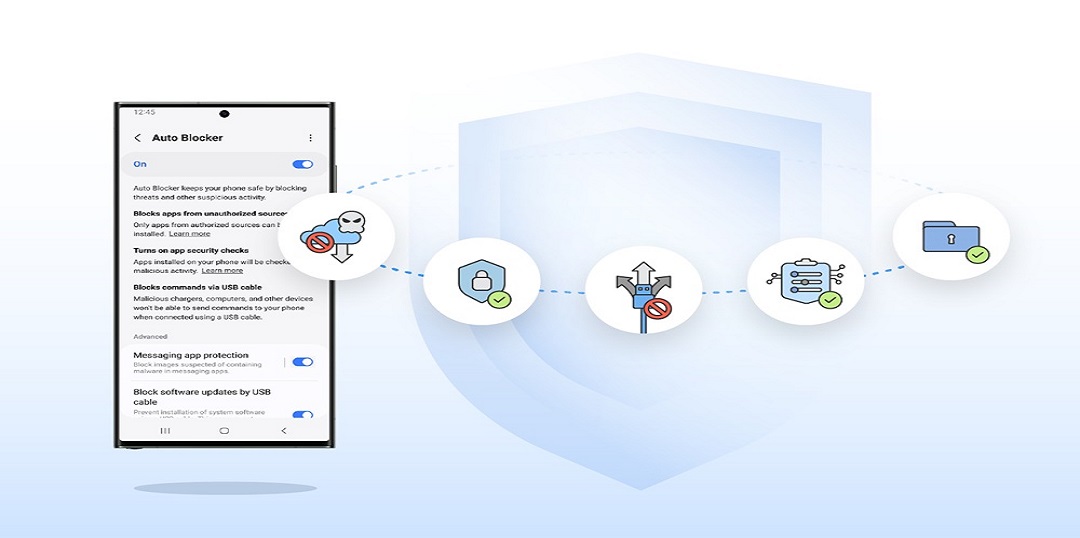
Samsung Electronics today introduced Auto Blocker, a new security tool for Samsung Galaxy users designed to keep their devices protected in the way that best fits their lifestyle.
Recently released on One UI 6 as part of Samsung Galaxy’s expanded arsenal of security and privacy innovations, Auto Blocker is an opt-in package of additional security measures that gives users more choice as they explore the customizations enabled by Samsung Galaxy’s open ecosystem.
Putting the Choice in Users’ Hands
“At Samsung we constantly strive to keep our users safe from security attacks, and with the introduction of Auto Blocker users can continue to enjoy the benefits of our open ecosystem, knowing that their mobile experience is secured,” said Dr. Seungwon Shin, EVP & Head of Security Team, Mobile eXperience Business at Samsung Electronics. “We always seek to empower our users to choose for themselves what best suits their needs — rather than us deciding on their behalf, and Auto Blocker is no exception to that.”
One of Auto Blocker’s features is the prevention of app installations from unauthorized sources,1 known as sideloading. There are many benefits to intentional sideloading, such as enhanced customization and control over a device’s functionality. Those who love to safely sideload will experience no change as the feature is off by default. For those not in the habit of sideloading or extensive customization, activating Auto Blocker can provide additional peace of mind by stalling the rise of social engineering attacks like voice phishing, where attackers could talk users into installing malicious software.
Auto Blocker has a range of additional controls, including turning on app security checks2 to help detect potential malware and prevent harmful commands and software installations by USB cable. This can help protect users in a situation where someone has physical access to their device, like when charging a phone at an airport.
With this feature also comes an update to Message Guard, which mitigates Zero Click attacks, or direct image messages hiding malicious code. Initially launched for messaging apps from Google and Samsung, it now can help protect users using popular third party apps.3 This way, users have greater choice over the apps they can safely use.
Pushing the Industry Forward With New Security Standards
Samsung sets the foundation for a safer, more secure mobile experience for Galaxy users, and Auto Blocker takes this one step further by combining industry-leading security standards with user choice to allow customers to control their device their way. As the latest feature to be added to Samsung’s suite of security and privacy innovations, Auto Blocker further optimizes the mobile experience for users across the Galaxy ecosystem.
Auto Blocker is available now on Samsung Galaxy devices compatible with One UI 6.
1 Authorized sources include Google Play and Galaxy Store.
2 Currently not available on US carrier models.
3 Messenger, Telegram, KakaoTalk, WhatsApp.
