



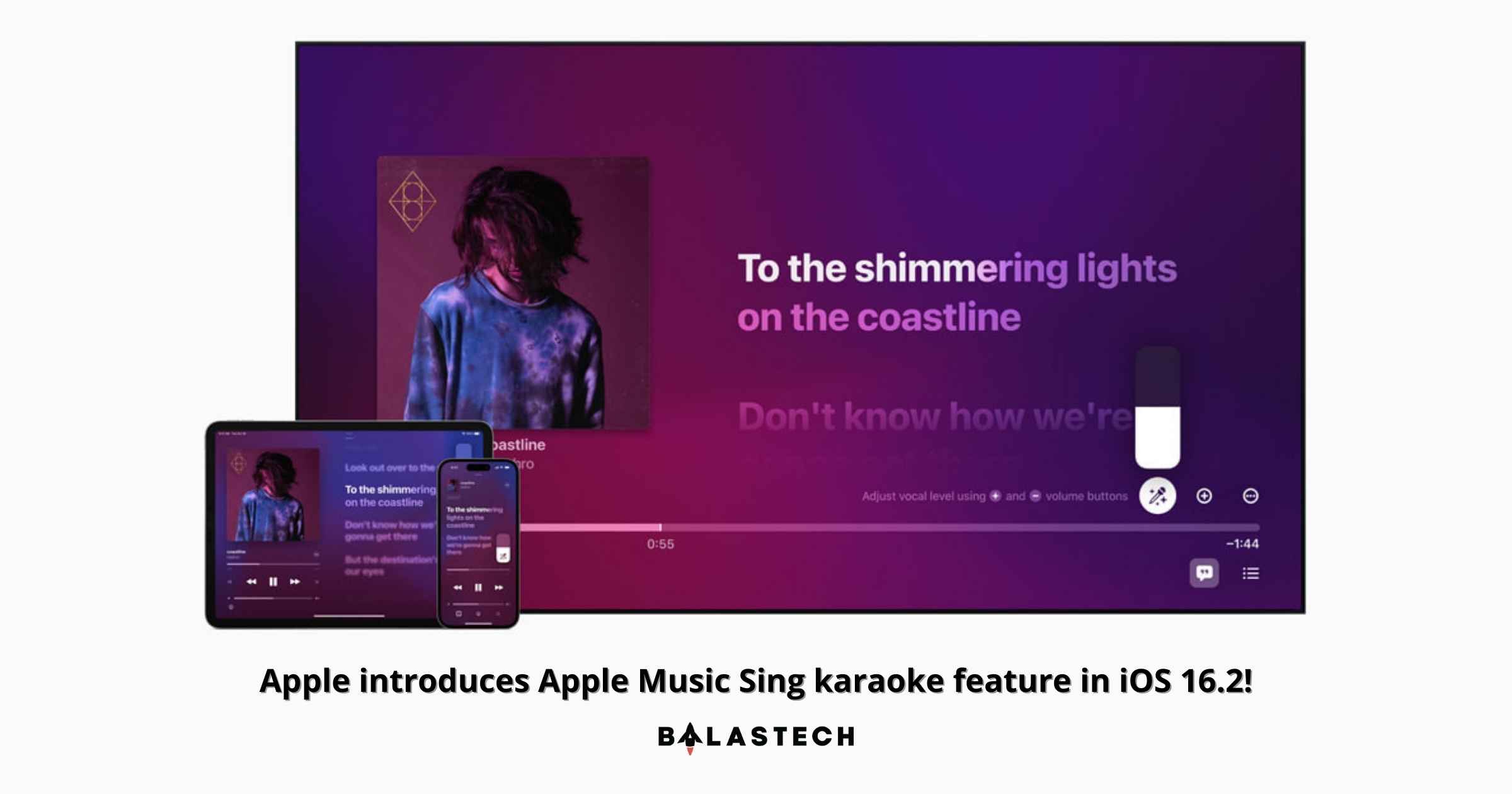
Apple introduces its new Apple Music Sing, an exciting new feature that allows users to sing along to their favorite songs with adjustable vocals and real-time lyrics like Karaoke.
Integrating Apple Music’s unmatched lyrics experience, Apple Music Sing delivers several lyric views to fans so they may take the lead, sing duets with others, sing backup, and more.
Apple Music Sing makes it enjoyable and simple for everyone to take part, when and wherever they choose, with a constantly increasing collection that includes tens of millions of the most singable music in the world.
Apple Music Sing will be available to Apple Music subscribers globally later this month and will be available on iPhone, iPad, and the new Apple TV 4K.
To enjoy the Apple Music Sing feature, you’ll need one of the following devices, all of which are presently in beta: iOS 16.2, iPadOS 16.2, or tvOS 16.2. These updates are expected to be made available to consumers in December 2022, however, Apple has not given a specific date.
“Apple Music’s lyrics experience is consistently one of the most popular features on our service,” said Oliver Schusser, Apple’s vice president of Apple Music and Beats.
Apple Music Sing includes:
- Adjustable vocals: The voice levels of a song can now be changed by users. On the millions of songs in the Apple Music collection, they may sing alongside the original artist’s vocals, take the lead, or mix it up.
- Real-time lyrics: With animated lyrics that dance to the beat of the singing, users may sing along to their favorite songs.
- Background vocals: To make it simpler for users to follow, vocal lines that are being sung at the same time can move independently of the main vocals.
- Duet view: Multiple vocalists appear on opposite sides of the screen to make duets or multi-singer tracks easier to sing along to.
“We already know our users all over the world love to follow along to their favorite songs, so we wanted to evolve this offering even further to enable even more engagement around music through singing. It’s really a lot of fun, our customers are going to love it.” He added.
Apple Music will also release a suite of over 50 dedicated companion playlists comprising all of the epic songs, duets, choruses, and anthems that have inspired people all across the world to sing. These are all perfectly optimized for the Apple Music Sing experience.
How to Use Apple Music Sing on iPhone and iPad
- Open the Apple Music app and start playing a track.
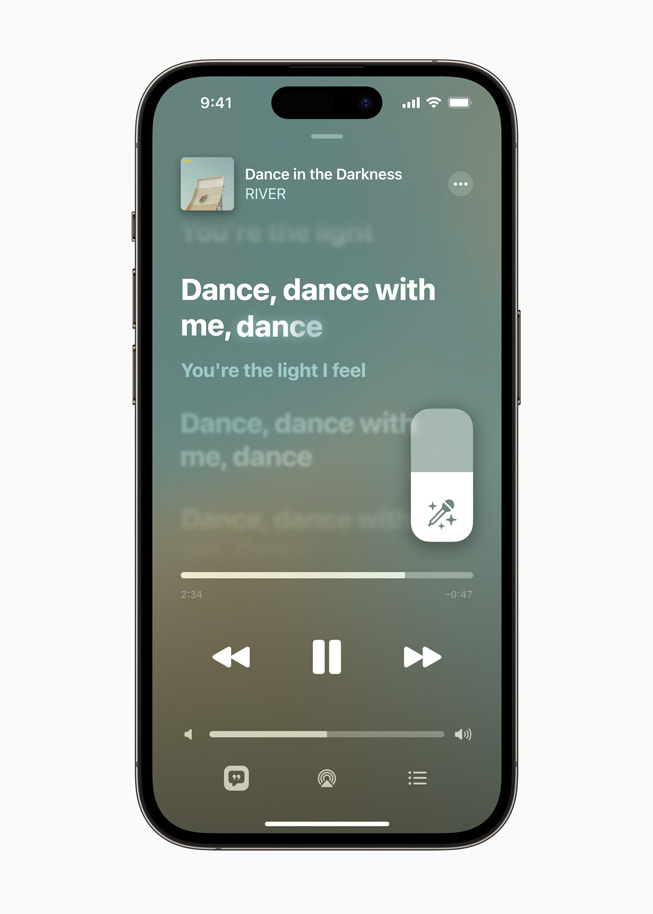
- Tap the Lyrics button in the lower left corner (if available for the song) while the fullscreen playing controls are open.
- On the right, just above the music progress bar, tap the Sing button (the mic and stars). If you don’t see it, this song doesn’t have the Sing feature.
- Press and hold the Sing button while the track is playing, then drag the slider up or down to control the volume of the vocals.
Visit the official website of Apple to know more about the latest Apple Music Sing feature.
