Close Menu
    Facebook X (Twitter) Instagram
    Latest Tech News in The Philippines
    Facebook YouTube TikTok X (Twitter) Instagram
    BALASTECHBALASTECH
    • Tech News
    • Reviews
    • Gaming
    • Tech Tips
    BALASTECHBALASTECH
    Home»Internet»Price Hike Alert: Unli Data and Unli Fam receive PHP 100 hike
    Internet

    Price Hike Alert: Unli Data and Unli Fam receive PHP 100 hike

    Dante BisaisBy Dante BisaisAugust 4, 20232 Mins Read
    Facebook Twitter LinkedIn Email
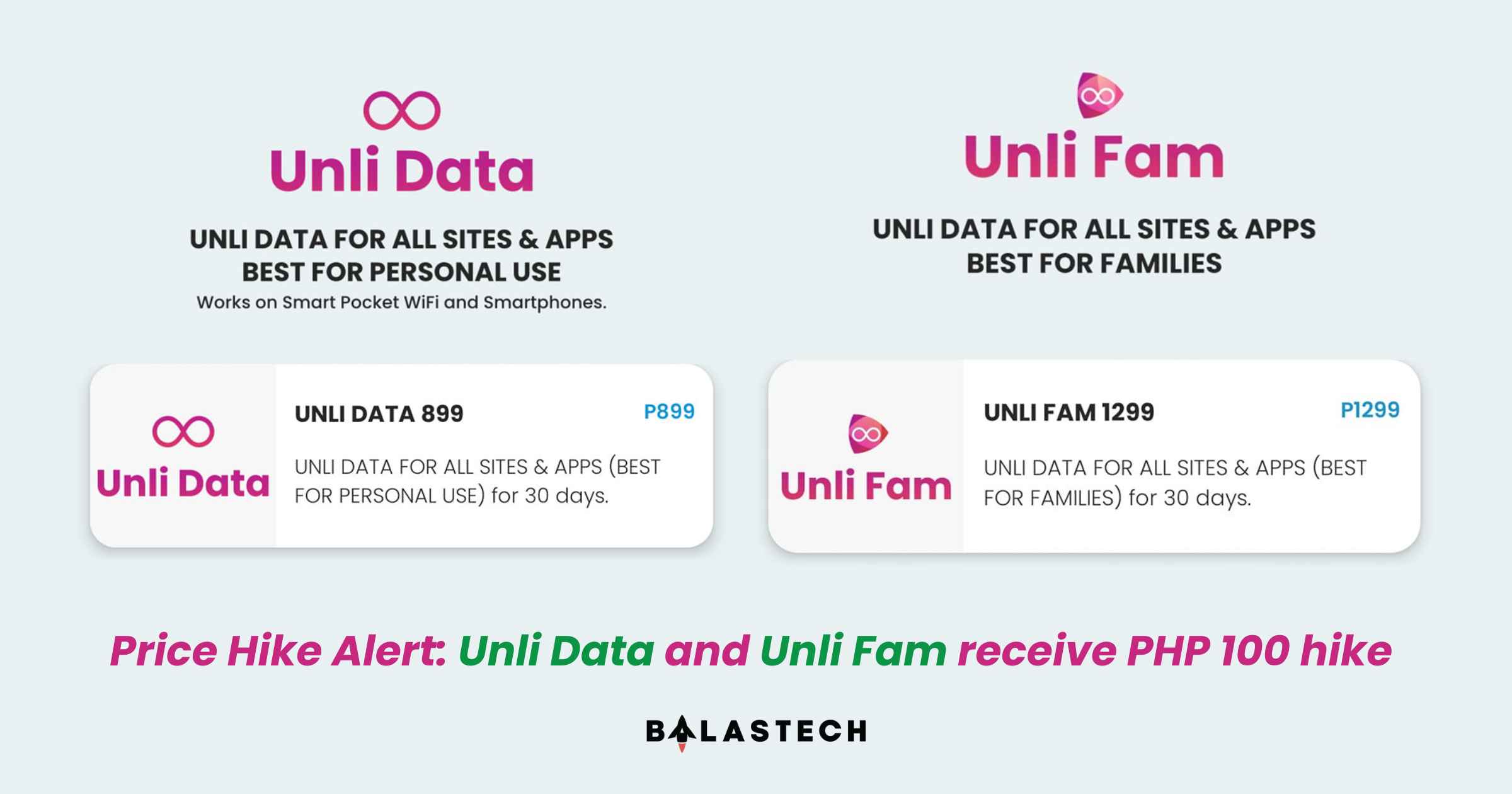
    Price Hike Alert Unli Data and Unli Fam receive PHP 100 hike
    Share
    Facebook Twitter LinkedIn Pinterest Email

    After three months when the last price increased, Smart’s Unli Data and Smart Bro’s Unli Fam promo got another price increase. 

    From PHP 799 last April, the Smart Unli Data is now worth PHP 899, while the Smart Bro Unli Fam will now cost you PHP 1,299 from PHP 1,199. This PHP 100 price increase is a big deal since these promos already cost you the same as Fiber plans today. It seems like it is now better to just apply to Fiber plans than to register a more expensive prepaid unlimited data promo. 

    This is bad news again for Smart Prepaid and Smart Bro subscribers who rely on Unli Data and Unli Fam for their internet connectivity. However, you may also consider subscribing to Converge’s Surf2Sawa Prepaid Fiber plans or Globe’s recently released GFiber Prepaid may offer cheaper prices. But do still check if these services are stable in your areas. 

    Smart Unli Data
    Smart Unli Fam

    To recall, Smart Unli Data offers unlimited data allocation for all sites and apps for 30 days. Meanwhile, the Smart Bro Unli Fam also offers unlimited data allocation for all sites and apps for 30 days but supports many devices since you can insert the SIM on your Smart Bro Home WiFi and Pocket WiFi. 

    How to register UNLI FAM 

    Via GigaLife App

    1. Download GigaLife App on Google Play Store or Apple App Store 
    2. Sign up/Register your mobile number 
    3. click the UNLI FAM icon and choose the promo 

    Via GCash app 

    1. Open your GCash app 
    2. Click load and enter your Smart Bro Home WiFi SIM number 
    3. Click the broadband tab, and choose UNLI FAM 1299 

    How to register UNLI DATA 899  

    1. Download GigaLife App on Google Play Store or Apple App Store
    2. Sign up/Register your mobile number
    3. Click the UNLI DATA icon and choose UNLI DATA 899

    To learn more about these promos, go to Smart’s official website. You may contact them on their official Facebook, X, TikTok, and Instagram accounts. 

    Prepaid smart bro Smart Communications Smart Prepaid UNLI FAM
    Share. Facebook Twitter Pinterest LinkedIn Email
    Dante Bisais
    • Website
    • Facebook
    • X (Twitter)
    • Pinterest
    • Instagram
    • LinkedIn

    Dante is an Information Technology graduate who is fascinated by technology especially computers. His passion for computers started when he was 11 years old, that inspired him to explore further. Besides writing, he also share his reviews on his YouTube channel.

    Related Posts

    Smart launches All-New Postpaid Plans+ with Unli Apps

    April 20, 2026

    Smart Wins Best Mobile Video Experience Award from Ookla

    March 10, 2026

    Smart ends 2025 strong with 5% Q4 growth, boosted by ARPU and 5G adoption

    March 4, 2026

    OPPO Reno15 Series 5G Showcases AI LinkBoost 3.0 Stability with Smart Postpaid Plans

    February 27, 2026
    Leave A Reply Cancel Reply

    • Facebook 16K
    • Instagram
    • YouTube 38.3K
    • TikTok
    • Twitter
    • LinkedIn
    Latest

    vivo Y31d Launching in PH on May 9 with 7,200mAh Battery and IP68/IP69 Rating

    April 29, 2026

    HONOR Philippines Teases Miss Universe Philippines 2026 Collaboration for Upcoming AI Smartphone

    April 29, 2026

    nubia V80 Max Review: A Solid Entry-Level Phone for Everyday Use

    April 27, 2026
    BALASTECH
    Facebook YouTube TikTok X (Twitter) Instagram
    • Home
    • About Us
    • Contact Us
    • Privacy Policy
    • Terms and Conditions
    Copyright © 2026. BALASTECH

    Type above and press Enter to search. Press Esc to cancel.