Close Menu
    Facebook X (Twitter) Instagram
    Latest Tech News in The Philippines
    Facebook YouTube TikTok X (Twitter) Instagram
    BALASTECHBALASTECH
    • Tech News
    • Reviews
    • Gaming
    • Tech Tips
    BALASTECHBALASTECH
    Home»Apps»Microsoft Office will be integrated into Microsoft Edge.
    Apps

    Microsoft Office will be integrated into Microsoft Edge.

    Dante BisaisBy Dante BisaisMay 2, 2021Updated:April 23, 20222 Mins Read
    Facebook Twitter LinkedIn Email
    Microsoft Edge
    Share
    Facebook Twitter LinkedIn Pinterest Email
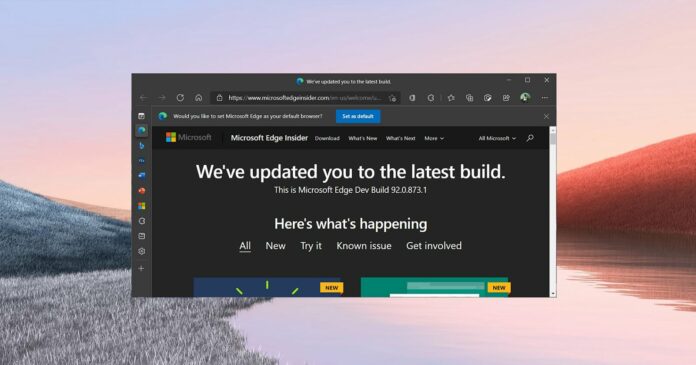
    Microsoft Edge has started rolling out a new beta update (version 92) to Dev Channel testers this week. This beta update contains two new exciting features, Office viewer and Windows search integration. Microsoft tested these two new features a few months ago, and users can now try them out by downloading Edge Dev 92.
    Microsoft Edge
    With this version, it allows users to open Microsoft Office documents in their Edge browser. The Office Viewer lets you open your Word, Excel, or PowerPoint documents in your browser with a single click.
    Microsoft Edge
    This new feature will save your time and make Edge more functional. Now, you don’t have to open your Microsoft Office every time you want to view a specific document. Besides, it can protect you against malware contained in Office files because Edge’s Office Viewer uses Microsoft Office online.
    Additionally, Office Viewer is currently in the early stage of development, but it is compatible with Windows and Mac.
    Microsoft Edge
    How to enable Office Viewer

    Open Edge Settings and click Downloads, then activate the “Quickly view Office files on the web using Office Viewer”.

    Microsoft Edge
    Related Articles:
    • Microsoft shuts down Cortana app on Android and iOS
    • Apple has free battery replacement for MacBook Pro
    Windows Search integration

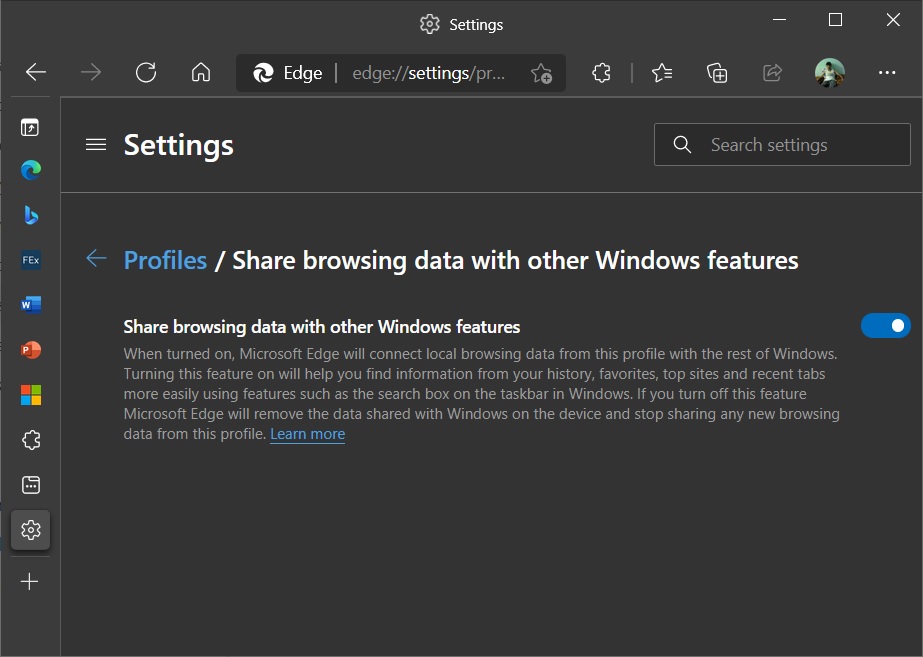
    Moreover, they also integrate the internal Windows Search which allows fetching information from Microsoft Edge. This feature would allow you to use the taskbar search to connect with the browser’s data such as browsing history. However, it does not seem to fit in the Windows 10 production builds and may require newer Windows 10 updates.

    How to enable Windows Search integration

    Open Microsoft Edge, go to settings, click Profiles, and enable “Share browsing data with other Windows features”.

    Don’t worry, because these new features are optional, you can enable them or disable them anytime you want. Lastly, let’s wait for the stable release of this new version of Microsoft Edge.

    Source: Windows Latest

    Browser Microsoft
    Share. Facebook Twitter Pinterest LinkedIn Email
    Dante Bisais
    • Website
    • Facebook
    • X (Twitter)
    • Pinterest
    • Instagram
    • LinkedIn

    Dante is an Information Technology graduate who is fascinated by technology especially computers. His passion for computers started when he was 11 years old, that inspired him to explore further. Besides writing, he also share his reviews on his YouTube channel.

    Related Posts

    Get a Chance to Fly to the FIFA World Cup 2026 with Visa, GoTyme Bank Promo

    March 18, 2026

    OPPO Launches MyOPPO Referral Campaign With GCash Rewards and Reno15 Discounts

    March 17, 2026

    GCash introduces Virtual US Account to help freelancers manage USD earnings

    March 16, 2026

    Invest Smartly and Securely with Metrobank Online UITFs

    March 5, 2026
    Leave A Reply Cancel Reply

    • Facebook 16K
    • Instagram
    • YouTube 38.3K
    • TikTok
    • Twitter
    • LinkedIn
    Latest

    HONOR Pad X8b is now available for only PHP 9,999!

    April 15, 2026

    OPPO Find N6 First Impressions: Ultra-Thin Foldable with a “Zero-Feel Crease”

    April 14, 2026

    vivo V70 FE is now official in PH!

    April 13, 2026
    BALASTECH
    Facebook YouTube TikTok X (Twitter) Instagram
    • Home
    • About Us
    • Contact Us
    • Privacy Policy
    • Terms and Conditions
    Copyright © 2026. BALASTECH

    Type above and press Enter to search. Press Esc to cancel.