



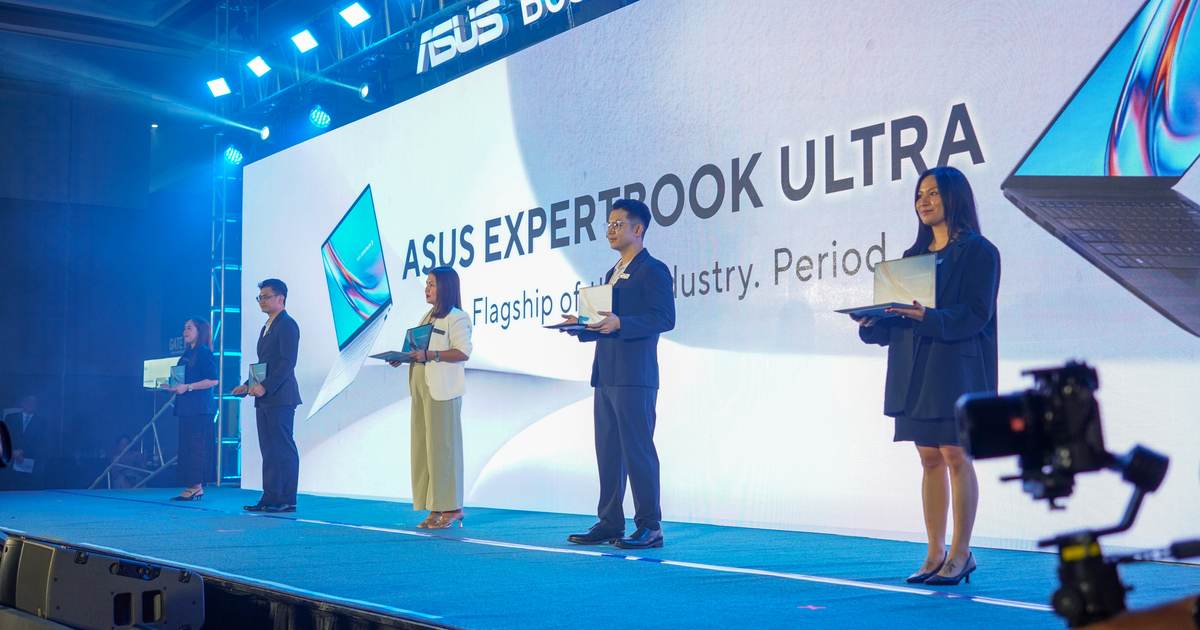
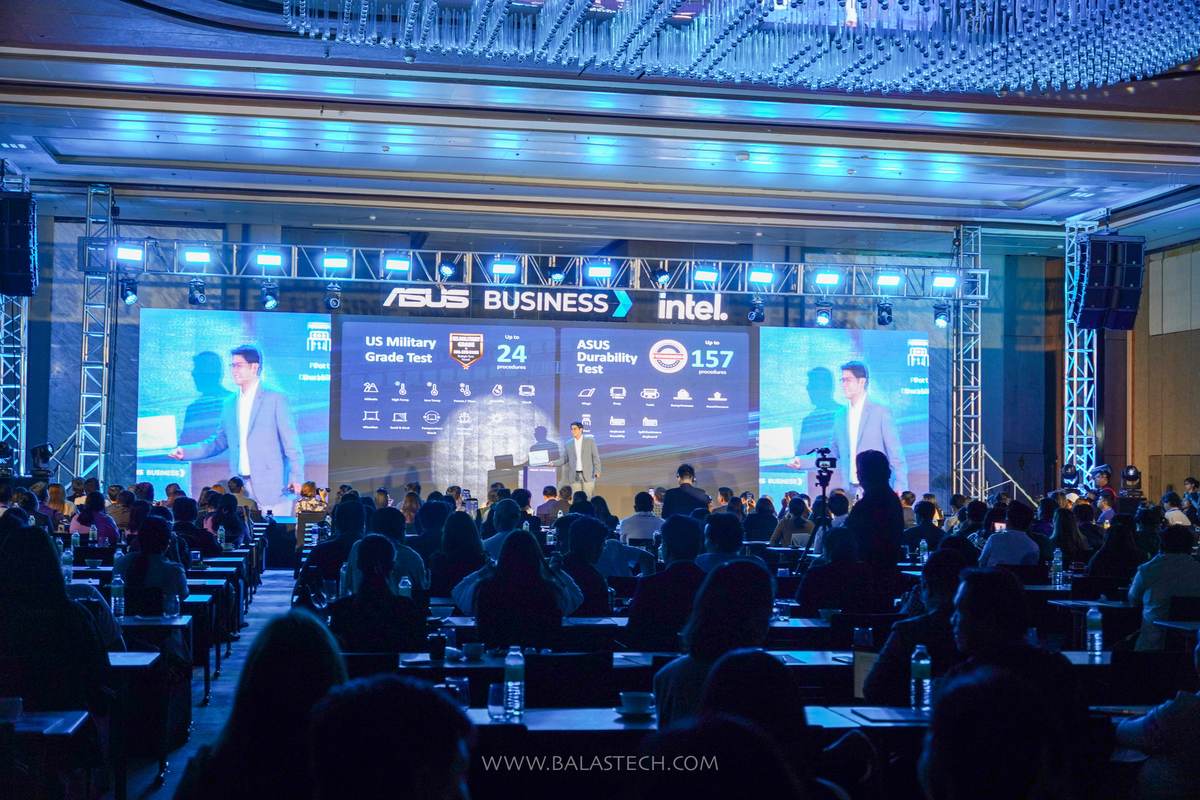
ASUS Business Philippines brought the ASUS ExpertBook Ultra to Cebu City for the first time last September 7, and we were there at NUSTAR Resort Cebu to see it up close. The invitation-only launch was the flagship’s first outing in the Visayas after its national debut in Manila back in July.
We got hands-on time with the unit, plus the rest of the ExpertBook lineup on the demo floor. Here is what the ExpertBook Ultra actually is, what ASUS put it through on stage, and what it costs.
What Is the ASUS ExpertBook Ultra?
The ExpertBook Ultra (model B9406CAA) is ASUS Business’ flagship laptop, and the pitch is a specific one: workstation-class sustained performance inside a chassis that weighs less than a kilo.
The POLED configuration comes in at 0.99kg with a 10.9mm profile. The Tandem OLED version is 1.09kg. The chassis is CNC-machined AZ31B magnesium-aluminum alloy, which ASUS says is 34 percent lighter than standard aluminum, finished with a 9H-hardness nano ceramic surface treatment.
Picking it up, the weight really is the first thing you notice. It feels closer to a tablet than a 14-inch business laptop, which makes the spec sheet underneath it a little absurd.
ExpertBook Ultra Specs That Matter
| Component | ASUS ExpertBook Ultra (B9406CAA) |
|---|---|
| Processor | Up to Intel Core Ultra X9-388H (Series 3) |
| AI compute | 50 TOPS NPU, up to 180 TOPS total platform |
| Sustained CPU TDP | 50W via ASUS ExpertCool Pro |
| Graphics | Integrated Intel Arc B390 (12 Xe cores) |
| Memory | Up to 64GB LPDDR5X at 9600 MT/s |
| Storage | Up to 2TB PCIe Gen 5 x4 NVMe |
| Display | 14-inch 3K (2880×1800) 120Hz Tandem OLED touchscreen |
| Brightness | 1,400 nits HDR peak, 600 nits SDR |
| Audio | 6-speaker Dolby Atmos spatial audio |
| Battery | 70Wh, rated up to 26 hours |
| Ports | 2x Thunderbolt 4, 2x USB-A 3.2 Gen 2, HDMI 2.1, combo jack |
| Wireless | Wi-Fi 7, Bluetooth 6.0 |
| Weight | 0.99kg (POLED) / 1.09kg (Tandem OLED) |
The 50W sustained TDP is the headline engineering claim. Most sub-1kg laptops throttle hard because there is nowhere for heat to go. ASUS says its ExpertCool Pro system, which uses dual fans with 97 liquid-crystal-polymer blades, holds 50W without throttling, and keeps noise under 20dB in whisper mode.
On graphics, ASUS claims the integrated Intel Arc B390 outperforms a discrete NVIDIA RTX 4050 running at 30W TGP by around 35 percent in 3DMark Time Spy. Worth noting: that is a vendor benchmark against a specific low-power configuration of the RTX 4050, not against the GPU at full power. Treat it as a strong integrated graphics result rather than a blanket claim that it beats a dedicated card.
The display is the other genuine standout. Tandem OLED stacks two emissive layers, which lets it hit much higher brightness while drawing roughly 40 percent less power than a conventional OLED and reducing burn-in risk. At 1,400 nits peak, this is a screen you can actually use near a window.
The Durability Demos Were the Best Part
The part of the event that stuck with us was not the spec deck. It was the demo stations.
ASUS runs the ExpertBook line through 24 MIL-STD-810H military-grade test procedures and 157 of its own durability procedures, including 50,000 hinge cycles, 100,000 simulated hand-pressure presses, and 250,000 keycap rubs. Those are numbers on a slide until someone shows you what they mean.
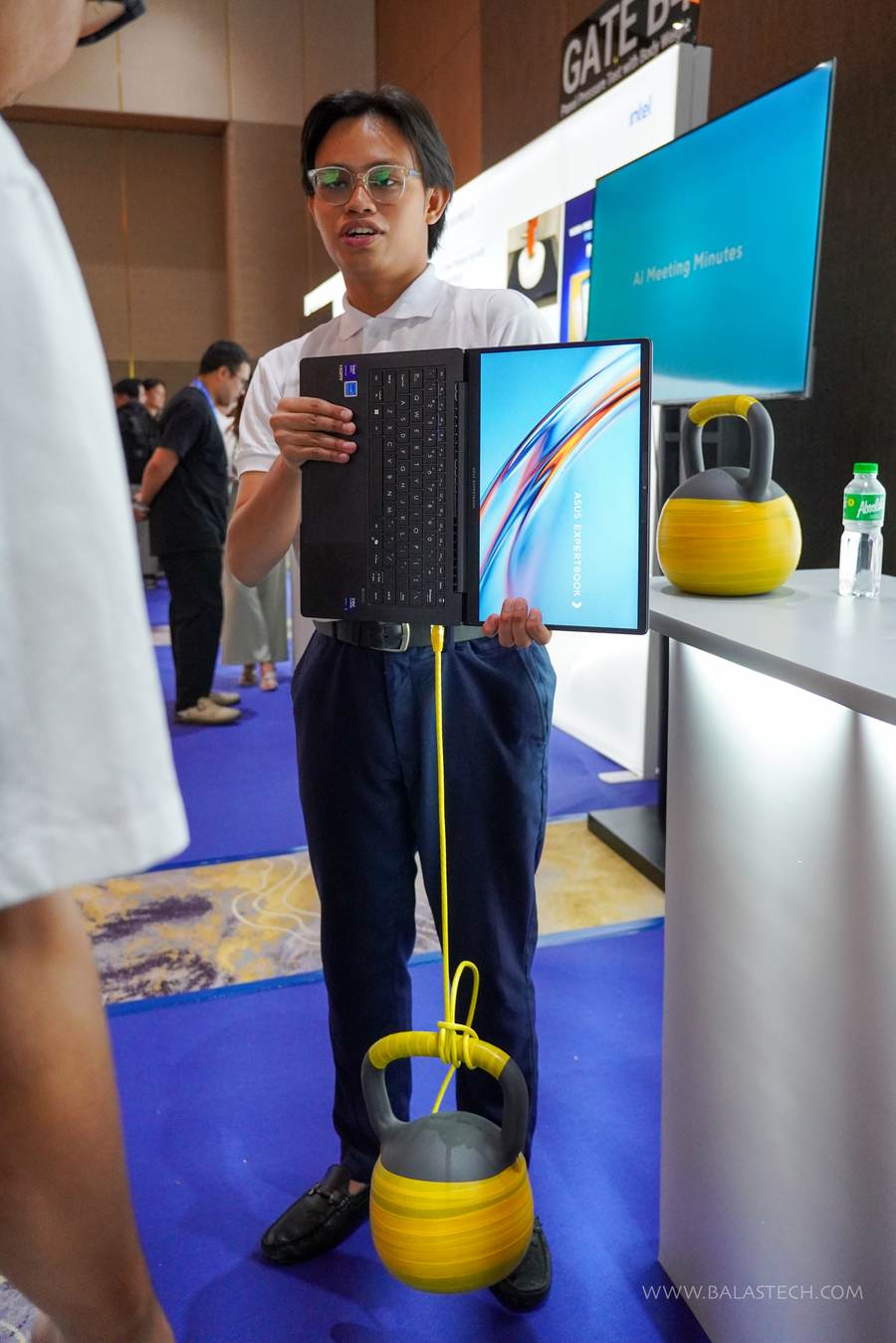
At one station, an ASUS staffer hung a kettlebell from the laptop’s port using a cable, then lifted the whole thing off the ground by the chassis. The point was port durability under body weight, and it is a far more convincing argument than a bullet point.
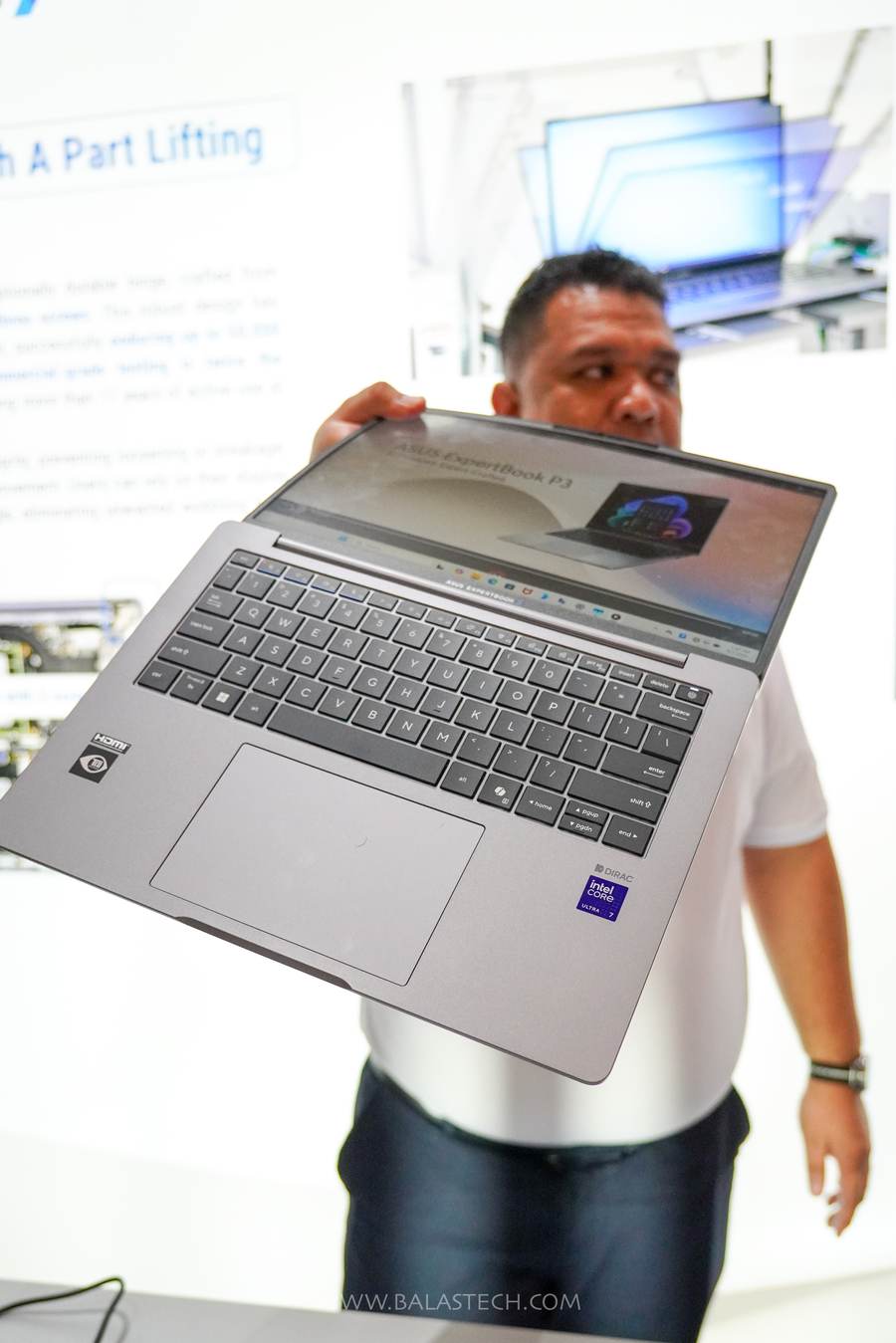
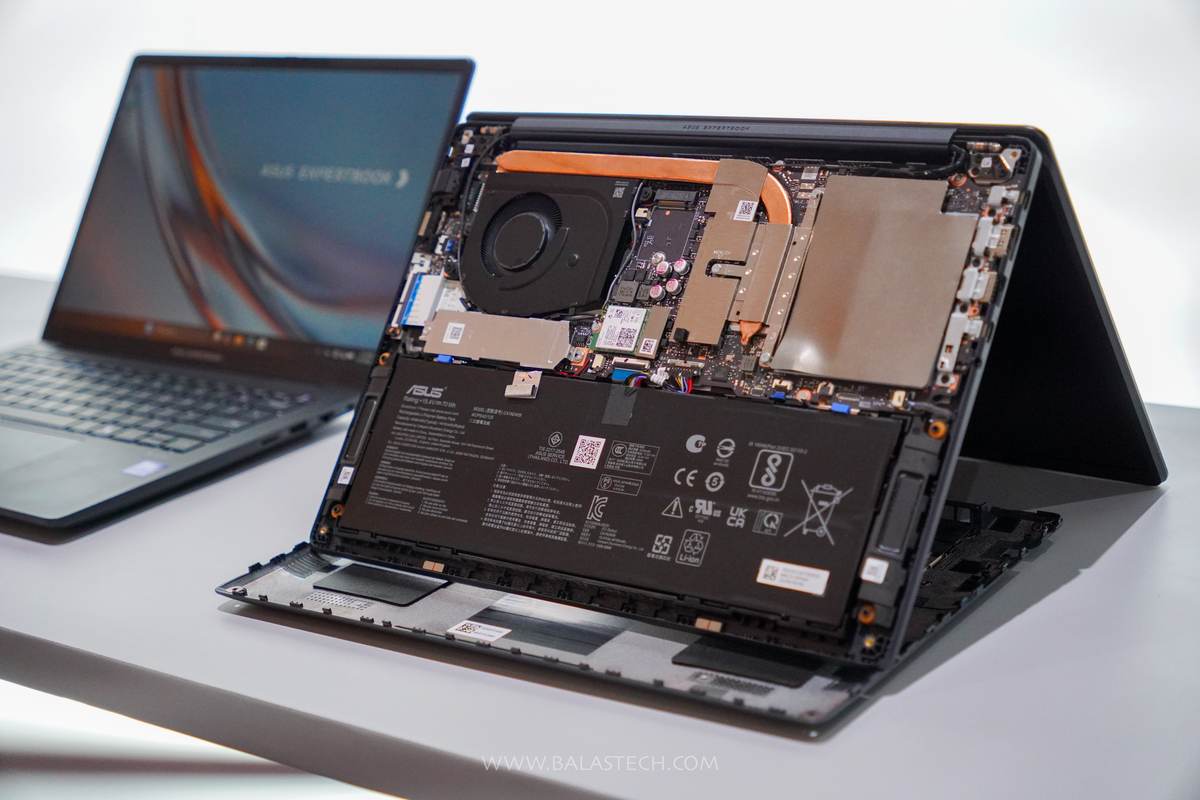
At another, a unit was lifted by a single corner of the open display to demonstrate hinge rigidity. That one used the ExpertBook P3. There was also a cutaway unit on the floor showing the internals: the 70Wh battery, the dual-fan cooling assembly, the heatpipe, and the M.2 slot. We posted more shots from the demo floor on our Facebook page.
Beyond the ExpertBook Ultra: the B5 and P3
The ExpertBook Ultra was the star, but the demo floor also had the ExpertBook B5 and the ExpertBook P3 on hand.
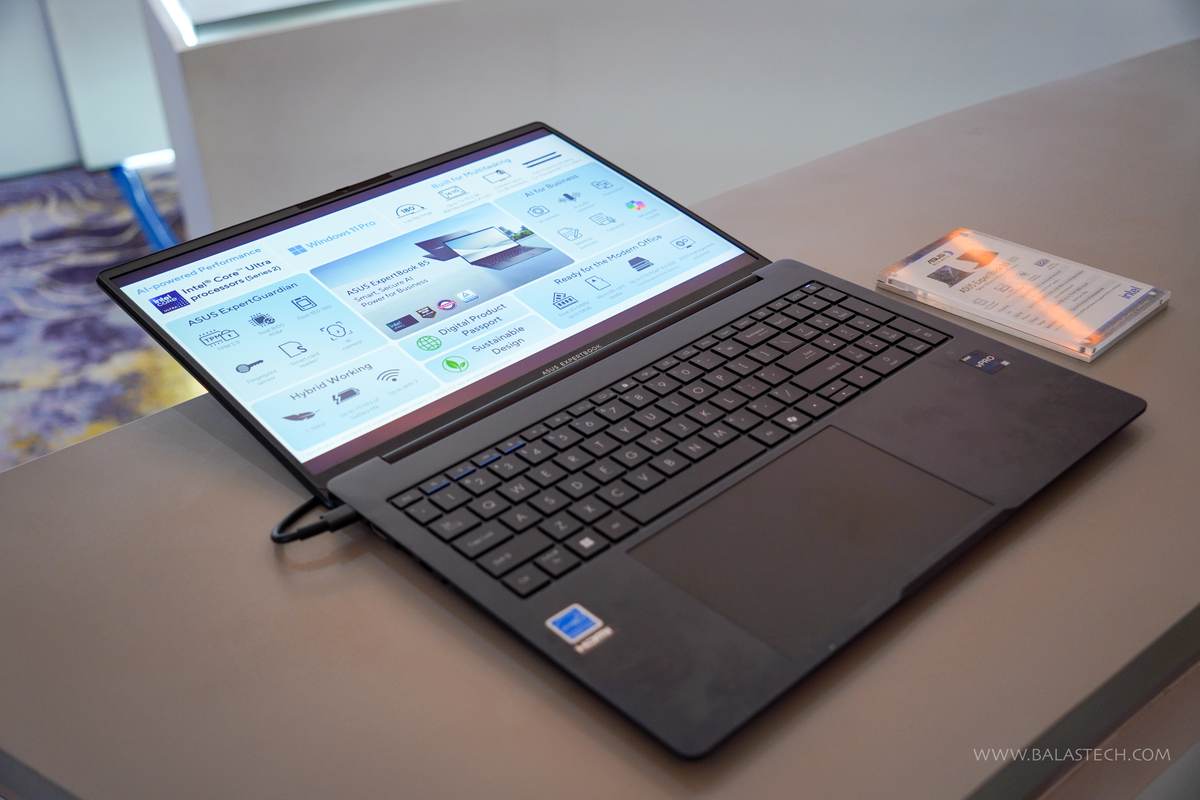
The B5 is the mainstream business workhorse: Intel Core Ultra Series 2, Windows 11 Pro, a 180-degree lay-flat hinge, dual SO-DIMM slots taking up to 64GB, up to 2TB of PCIe 4.0 storage, a microSD reader, Wi-Fi 7, a smart card reader, and a rated 15 hours of battery at 1.34kg. It is the one most Philippine IT departments will actually be quoting.
The P3 sits lower in the range and was the unit ASUS used for the hinge demo. It launched locally back in May starting at ₱69,995 for the P3 G2.
ExpertBook Ultra Security and AI Features
For the IT crowd, the ExpertBook Ultra ships with ASUS ExpertGuardian and meets NIST SP 800-193 firmware resilience standards. That means dual self-healing BIOS ROM, a discrete TPM 2.0 module, Microsoft Pluton, a physical webcam shield, chassis intrusion alerts, and dual biometrics through fingerprint and Windows Hello IR.
On the AI side, ASUS bundles its MyExpert suite, including AI ExpertMeet for meeting transcription and summaries and a local Knowledge Hub. ASUS states the suite is subscription-free. The 50 TOPS NPU means those workloads run locally rather than in the cloud, which is the more meaningful point for anyone handling sensitive company data.
ASUS ExpertBook Ultra Price and Availability in the Philippines
The ASUS ExpertBook Ultra starts at ₱129,995, with higher configurations reaching up to ₱215,995 depending on processor, memory, storage, and display choice.
It is available now through ASUS authorized stores, select tech retailers nationwide, and the official ASUS Business Philippines channels, including the ASUS Expert Stores on Lazada and Shopee. Check with your reseller for whatever current offer applies.
Every ExpertBook purchase is covered by ASUS’ commercial after-sales program, which includes an upgradeable warranty of up to five years, battery warranty extension, and access to over 100 service centers nationwide.
Is It Worth It?
At ₱129,995 to start, the ExpertBook Ultra is not a laptop most people are cross-shopping against a consumer ultrabook. It is aimed squarely at executives, enterprise buyers, and professionals whose company is paying, and the value argument is built around total cost of ownership rather than sticker price.
What ASUS is selling is the combination: sub-1kg weight, sustained performance that does not collapse under load, a genuinely excellent screen, five-year warranty coverage, and enterprise firmware security. If your work is mobile and heavy at the same time, that combination is rare.
If you mostly work at a desk, or your workload is email and documents, the ExpertBook B5 covers that for far less money and you lose very little.
Final Thoughts
Cebu keeps earning its place on the map for major tech launches, and ASUS Business choosing to bring the ExpertBook Ultra here says a lot about how fast the market outside Manila is growing. Rico Hizon was introduced at the event as ASUS Philippines’ newest brand ambassador, alongside a raffle, a live performance, and a full demo floor.
The laptop itself is a real engineering flex, and the durability demos made a stronger case than any slide could. Whether ₱129,995 makes sense for you depends entirely on whether your work justifies it.
Are you eyeing an ExpertBook for your team, or is your office still running something older? Come tell us on the BALASTECH Facebook page, we always want to hear what Filipino offices are actually using.
