



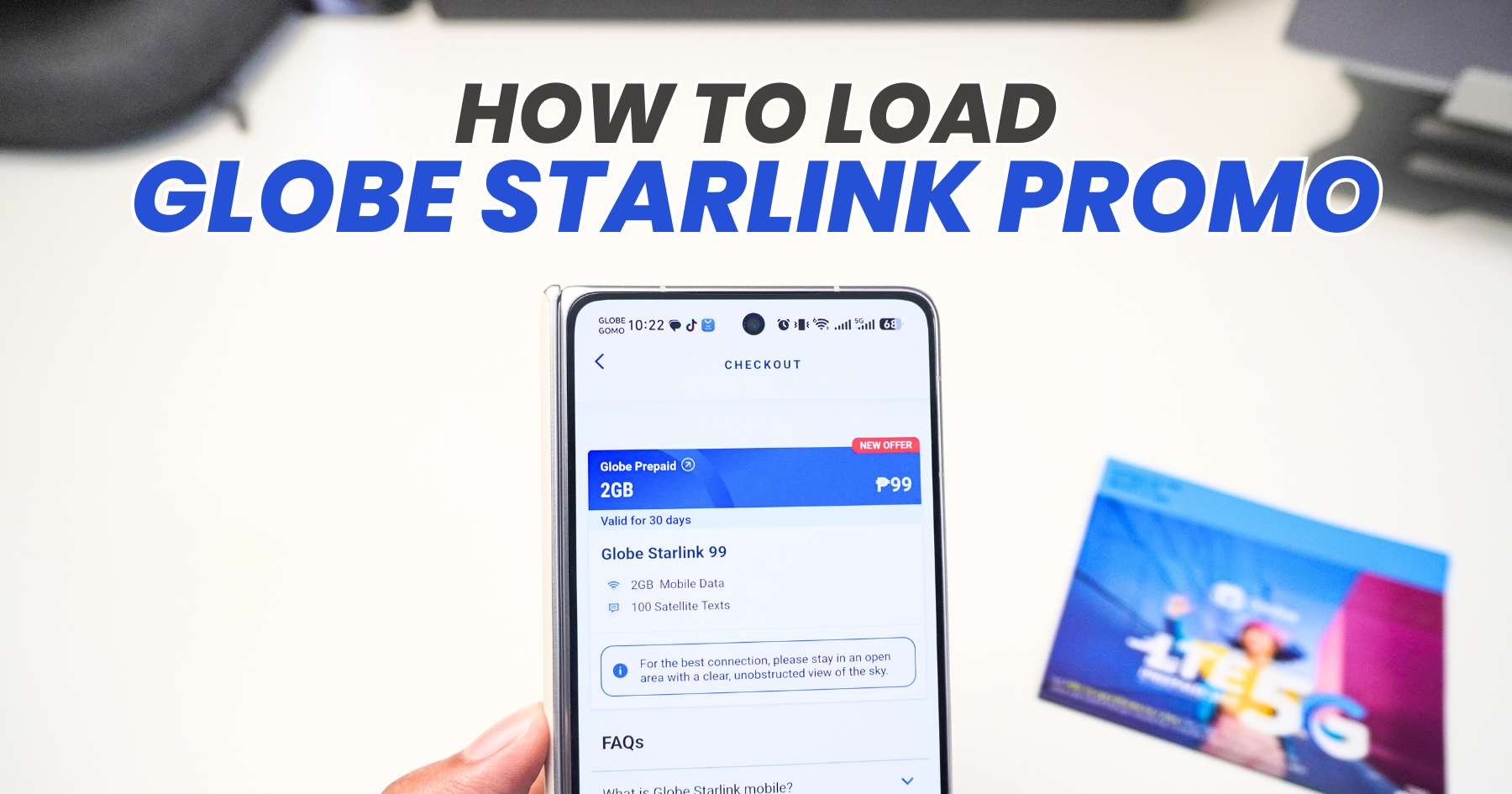
If you’re in a remote area where mobile signal is limited or unavailable, Globe’s Starlink-powered service can provide another way to stay connected through satellite connectivity. You can subscribe to the available Globe Starlink promos through the GlobeOne app or GCash, and here’s how to do it.
How to Subscribe to Globe Starlink via GlobeOne
- Open the GlobeOne app and log in to your account.
- Go to the Buy Load/Promos section.
- Search for “Globe Starlink”.
- Select your preferred Starlink promo.
- Choose your preferred payment method.
- Review the details, then tap Subscribe to complete the purchase.
Once the transaction is successful, you should receive confirmation of your subscription.
How to Subscribe to Globe Starlink via GCash
- Open the GCash app and log in.
- Tap Load.
- Select Mobile and choose Globe.
- Search for “Starlink”.
- Select the Globe Starlink promo you want.
- Tap Buy Now.
- Review the details and proceed with the payment.
Stay Connected in Remote Areas
Globe’s Starlink offering can be useful for users who frequently travel to areas with limited connectivity. However, before subscribing, you should still check the promo’s current coverage, eligibility, and requirements, because these may vary by service and location.
If you’re heading somewhere with unreliable mobile coverage, having a Starlink-supported option can be another way to stay connected when traditional cellular service isn’t available.
Frequently Asked Questions
- What is Globe Starlink?
- Globe Starlink is a satellite connectivity service designed to provide access in areas where mobile signal may be limited or unavailable.
- Who can use this promo?
- It is available to Globe users who need connectivity in remote areas where regular mobile coverage may be unavailable.
- Can I use Globe’s Starlink promo even when I have no mobile signal?
- Yes, the promo is actually intended for areas with limited or no signal, using satellite connectivity. However, your device and location must support the service for it to work.
