




Close Menu
    Facebook X (Twitter) Instagram
    Latest Tech News in The Philippines
    Facebook YouTube TikTok X (Twitter) Instagram
    BALASTECHBALASTECH
    • Tech News
    • Reviews
    • Gaming
    • Tech Tips
    BALASTECHBALASTECH
    Home»Reviews»TP-Link Archer BE220 Review: Affordable Next-Gen Wi-Fi for Your Home
    Reviews

    TP-Link Archer BE220 Review: Affordable Next-Gen Wi-Fi for Your Home

    Dante BisaisBy Dante BisaisSeptember 4, 20254 Mins Read
    Facebook Twitter LinkedIn Email
    TP-Link Archer BE220 Review
    Share
    Facebook Twitter LinkedIn Pinterest Email

    Wi-Fi 7 is one of the biggest leaps in wireless tech, but it usually comes with a high price. TP-Link is changing that with the TP-Link Archer BE220, one of the first Wi-Fi 7 routers that does not cost a fortune.

    A review unit of the TP-Link Archer BE220 was loaned for testing and used as the main router for about two weeks. Here is how it performed.

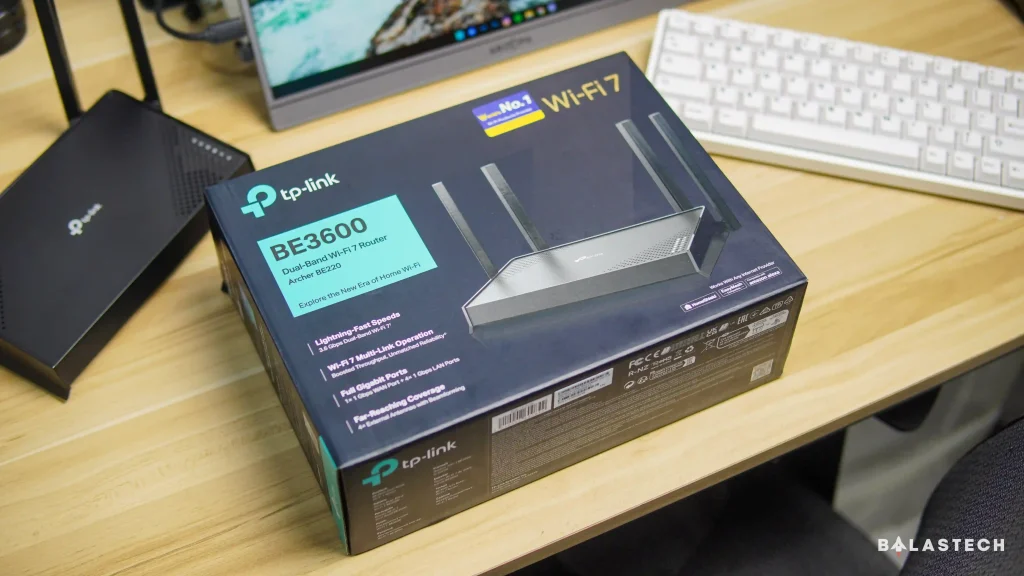
    TP-Link Archer BE220

    The TP-Link Archer BE220 is rated for speeds of up to 3.6Gbps. On paper, that makes it ideal for 4K and even 8K streaming, AR/VR gaming, and downloading large files.

    It supports Multi-Link Operation (MLO), Multi-RUs, and 4K-QAM, features that help keep connections fast and stable. This model is designed for remote workers, gamers, and households that want smoother and more reliable Wi-Fi.

    TP-Link Archer BE220 Design(3)

    Design and Build Quality

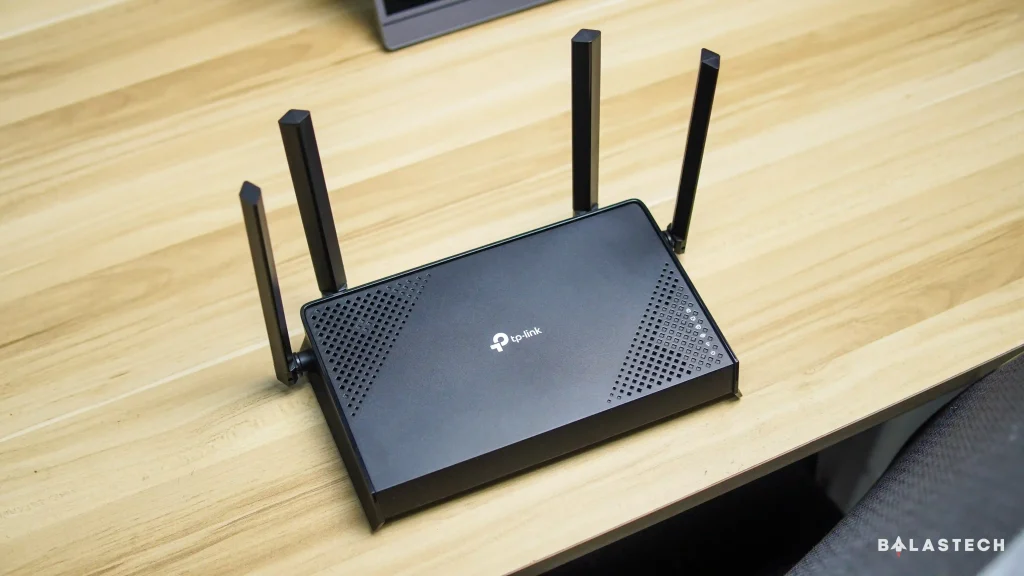
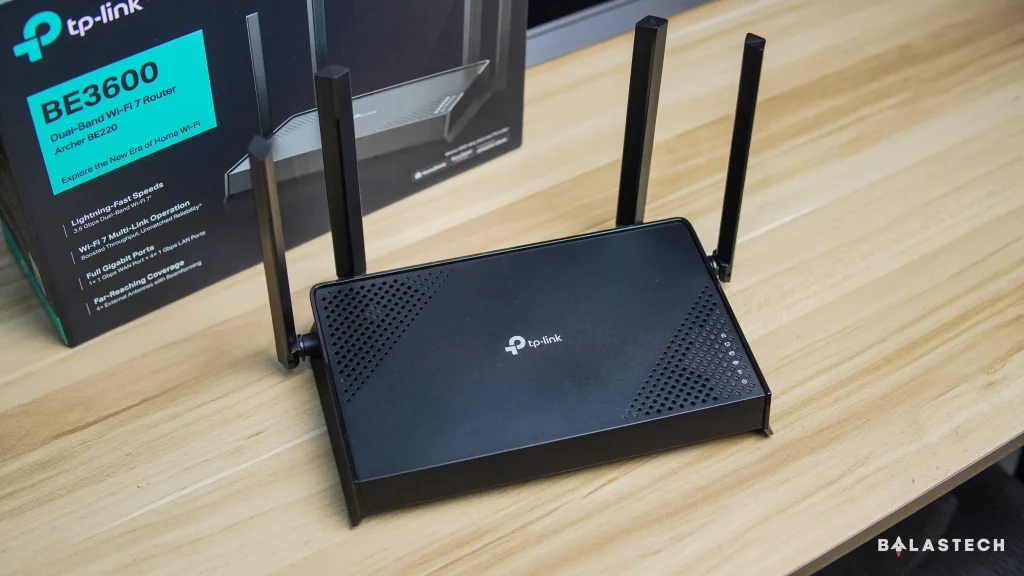
    The TP-Link Archer BE220 keeps things simple. It is a small black router with a clean, minimalist design and a lightweight body. There are plenty of ventilation holes to keep heat in check, and overall, it feels sturdy enough for everyday use.

    TP-Link Archer BE220

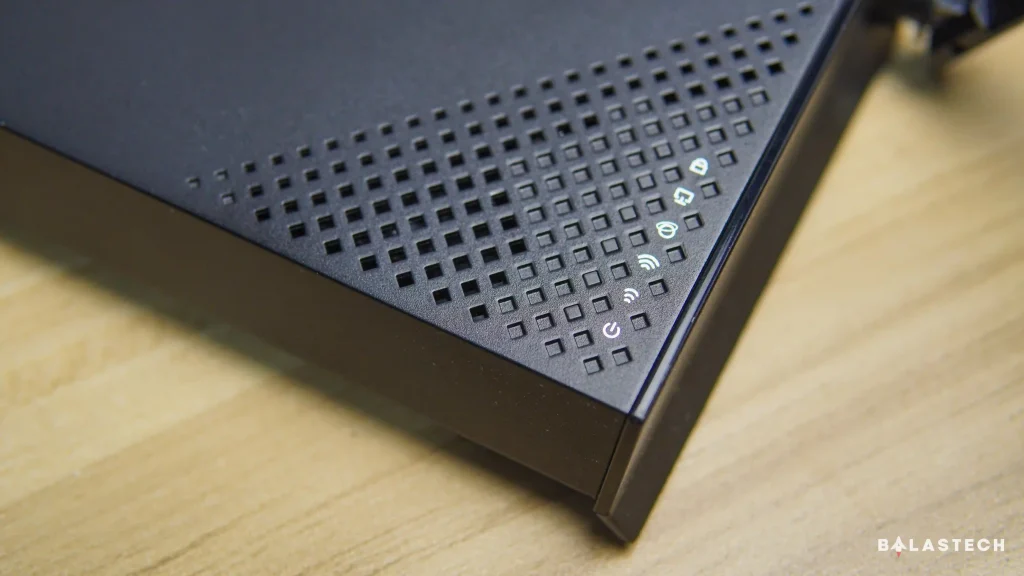
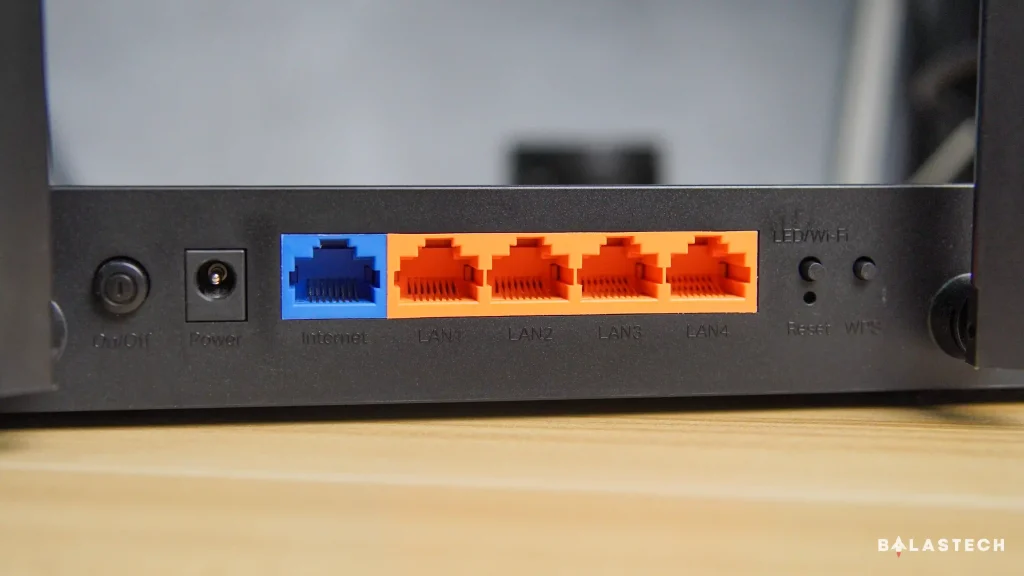
    The LED indicators are neatly placed on the top-right corner, while the buttons for power, reset, WPS, and Wi-Fi/LED toggle are easy to reach. The back panel has one 1Gbps WAN port and four 1Gbps LAN ports for wired connections.

    TP-Link Archer BE220

    It also comes with four beamforming antennas that spread signal throughout the home, reducing the chance of dead spots.

    Performance

    Switching from a Wi-Fi 5 router to the TP-Link Archer BE220 was like night and day. Coverage improved noticeably, and the connection stayed strong in areas where Wi-Fi usually drops off such as the kitchen and garage. Even stepping outside did not slow things down much.

    Of course, actual speeds depend on your internet service provider, so this router will not magically boost your plan. What it can do is make your connection more stable and reliable.

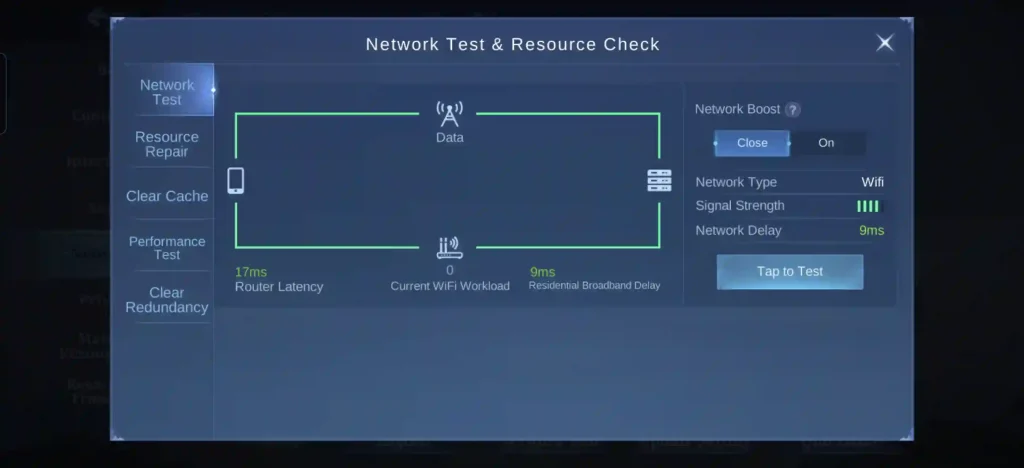
    Mobile Legends Bang Bang Network Test
    Mobile Legends: Bang Bang Network Test

    Multi-Link Operation is one of the TP-Link Archer BE220’s standout features. It combines multiple channels to improve speed and reduce latency. After enabling this feature, performance felt smoother during daily use.

    Testing was mostly done on a HONOR 400 Pro 5G, one of the few Wi-Fi 7-ready phones available locally. While AR/VR gaming and cloud gaming tests were not possible, mobile gaming showed a clear improvement. 

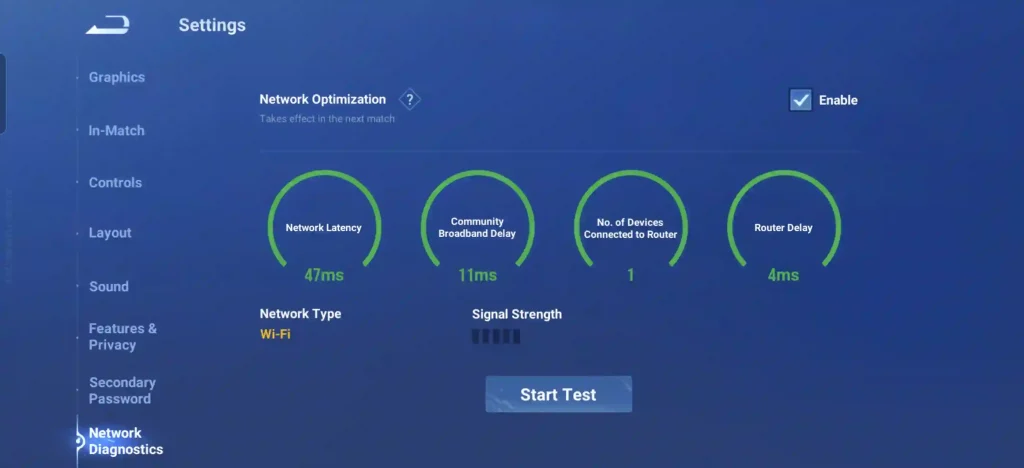
    Honor of Kings Network Test
    Honor of Kings Network Test

    Ping in Mobile Legends: Bang Bang dropped to around 7 to 14ms from the usual 18 to 23ms, and Honor of Kings stayed at a steady 5 to 8ms.

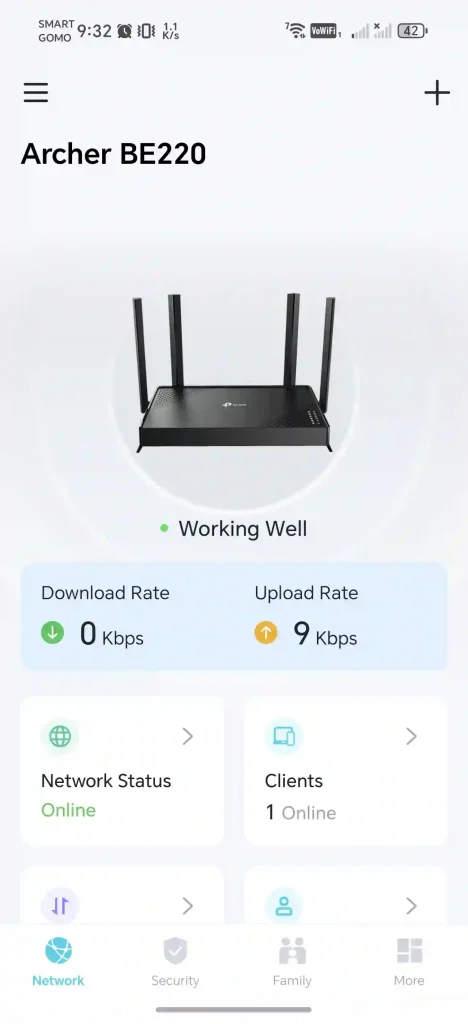
    TP-Link Archer BE220 Main Page
    Main Page
    TP-Link Archer BE220 Clients Connected Devices
    Clients/Connected Devices
    TP-Link Archer BE220 Guest Network
    Guest Network

    Software

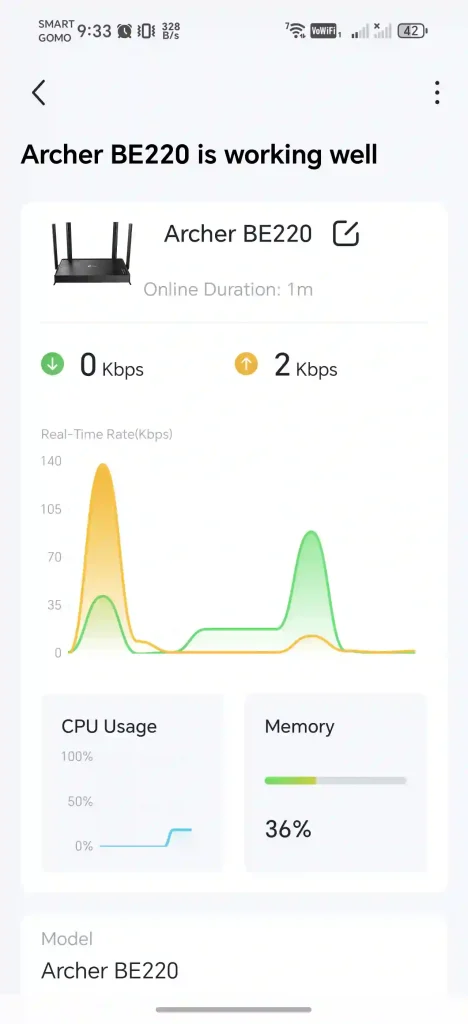
    The TP-Link Archer BE220 is easy to manage using the TP-Link Tether app, which is available on both Android and iOS.

    TP-Link Archer BE220 Security
    Security
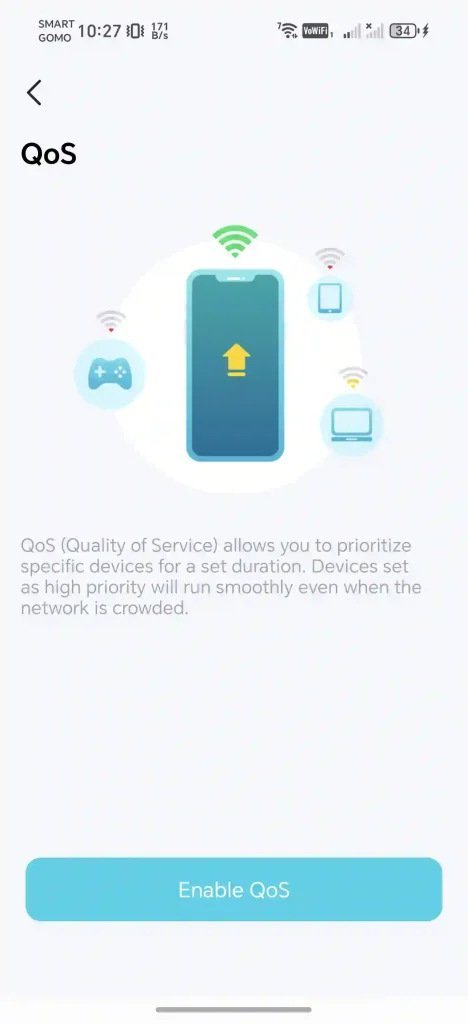
    TP-Link Archer BE220 Quality of Service
    Quality of Service
    TP-Link Archer BE220 Status
    Status

    The app allows users to monitor the router, check connected devices, and adjust settings. A highlight is the Quality of Service feature, which lets users set priority devices for smoother speeds during heavy network activity. 

    This is helpful for households with multiple people streaming, gaming, or working at the same time.

    Conclusion

    The TP-Link Archer BE220 proves that Wi-Fi 7 does not have to be expensive. For its price, it offers strong performance, wide coverage, and useful features. It is a clear upgrade over older routers and a smart choice for anyone looking to future-proof their setup.

    Even if most devices today do not support Wi-Fi 7 yet, the TP-Link Archer BE220 is a good investment. With streaming, gaming, and smart devices becoming more demanding, having a Wi-Fi 7 router is a practical step forward. At ₱2,399, it is an affordable option that delivers great value.

    TP-Link Archer BE220 Design

    TP-Link Archer BE220 Price and Availability

    TP-Link Archer BE220 – PHP 2,399 | Shopee link

    The TP-Link Archer BE220 is available at the TP-Link Store in SM North EDSA, partner retailers, and official stores on Shopee and Lazada for PHP 2,399.

    Archer BE220 Router TP-Link TP-Link Archer BE220 Wi-Fi 7
    Share. Facebook Twitter Pinterest LinkedIn Email
    Dante Bisais
    • Website
    • Facebook
    • X (Twitter)
    • Pinterest
    • Instagram
    • LinkedIn

    Dante is an Information Technology graduate who is fascinated by technology especially computers. His passion for computers started when he was 11 years old, that inspired him to explore further. Besides writing, he also share his reviews on his YouTube channel.

    Related Posts

    HONOR X9d 5G Review: Not Just Tough, It Performs Too

    January 15, 2026

    HONOR X9d 5G First Impressions

    January 5, 2026

    iPhone 17 Pro Max Review — The Big Upgrade We Needed?

    December 15, 2025

    Nothing Ear (3) Review: Upgraded ANC, Better Calls, and a More Premium Build

    December 6, 2025

    Comments are closed.

    • Facebook 16K
    • Instagram
    • YouTube 38.3K
    • TikTok
    • Twitter
    • LinkedIn
    Latest

    GCash Adds Free GLoan Protect Insurance Through March 2026

    January 21, 2026

    BoxTrade aligns with Trade-In Made Better to simplify smartphone upgrades

    January 17, 2026

    HUAWEI MatePad 11.5 (2026) Dynamic Edition now official!

    January 16, 2026
    BALASTECH
    Facebook YouTube TikTok X (Twitter) Instagram
    • Home
    • About Us
    • Contact Us
    • Privacy Policy
    • Terms and Conditions
    Copyright © 2026. BALASTECH

    Type above and press Enter to search. Press Esc to cancel.