Close Menu
    Facebook X (Twitter) Instagram
    Latest Tech News in The Philippines
    Facebook YouTube TikTok X (Twitter) Instagram
    BALASTECHBALASTECH
    • Tech News
    • Reviews
    • Gaming
    • Tech Tips
    BALASTECHBALASTECH
    Home»Tech Tips»Breathe Easy: Upgrading Fans to Prevent Computer Overheating
    Tech Tips

    Breathe Easy: Upgrading Fans to Prevent Computer Overheating

    Dante BisaisBy Dante BisaisApril 10, 20244 Mins Read
    Facebook Twitter LinkedIn Email
    Breathe Easy Upgrading Fans to Prevent Computer Overheating
    Share
    Facebook Twitter LinkedIn Pinterest Email

    It’s now summer season! we are currently experiencing a high heat index around the country and it is also important to keep our desktop computers cool. What is the most effective way, is to upgrade the fans. So in this article, we will feature the DeepCool AK400 ZERO DARK PLUS CPU fan and Arctic P12 PWM PST case fans. 

    Keep your PC cool with these fans:

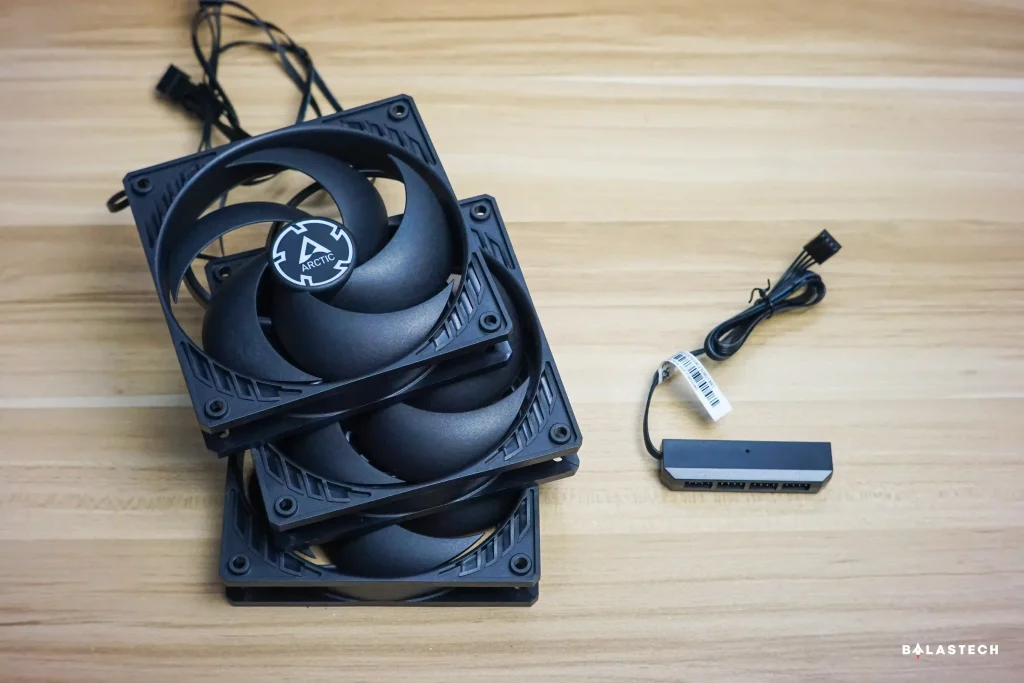
    Arctic P12 PWM PST Fan and DeepCool FH-04 fan hub

    Arctic P12 PWM PST 

    One of the most inexpensive upgrades you can put on your computer is case fans. Since it is now common for modern PC cases to support 8 or more case fans, you should maximize that. 

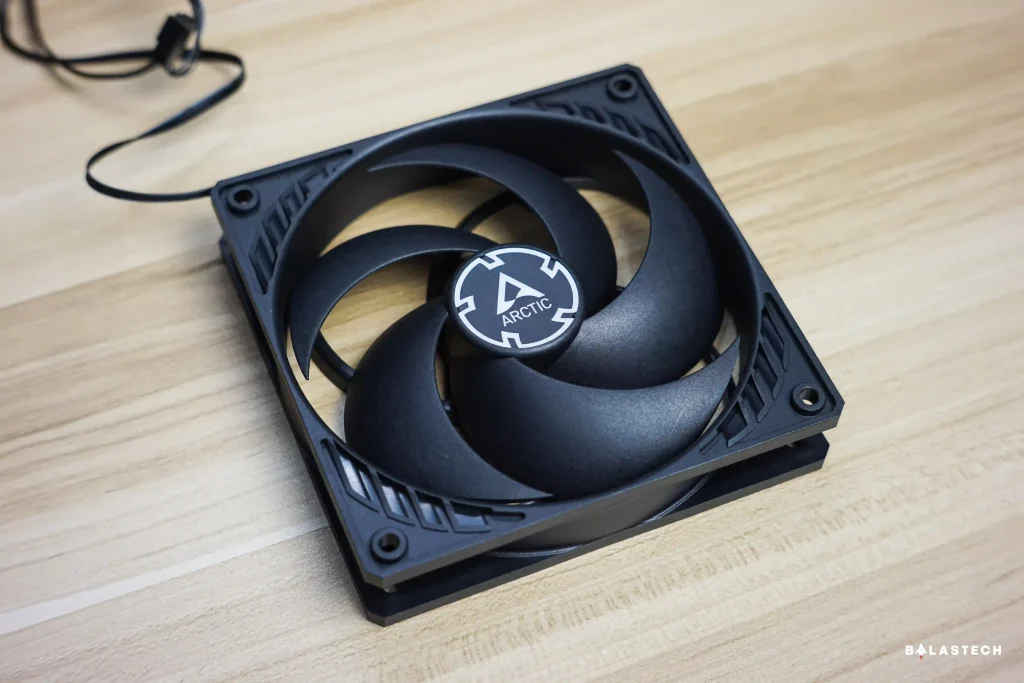
    Arctic P12 PWM PST Fan
    Arctic P12 PWM PST Fan

    The Arctic P12 PWM PST is one of the best options in the market because it offers more than enough features. It is a pulse width modulation (PWM) fan, so you can control its fan speed which can reach up to 1,800 rpm speed. 

    Arctic claimed that the P12 PWM PST runs much more efficiently than its predecessors, resulting in saving energy without compromising performance. Besides, due to its new ARCTIC motor, it has maximum quietness and minimum vibration—the low coil temperature of the new ARCTIC motor results in a four times longer service life. 

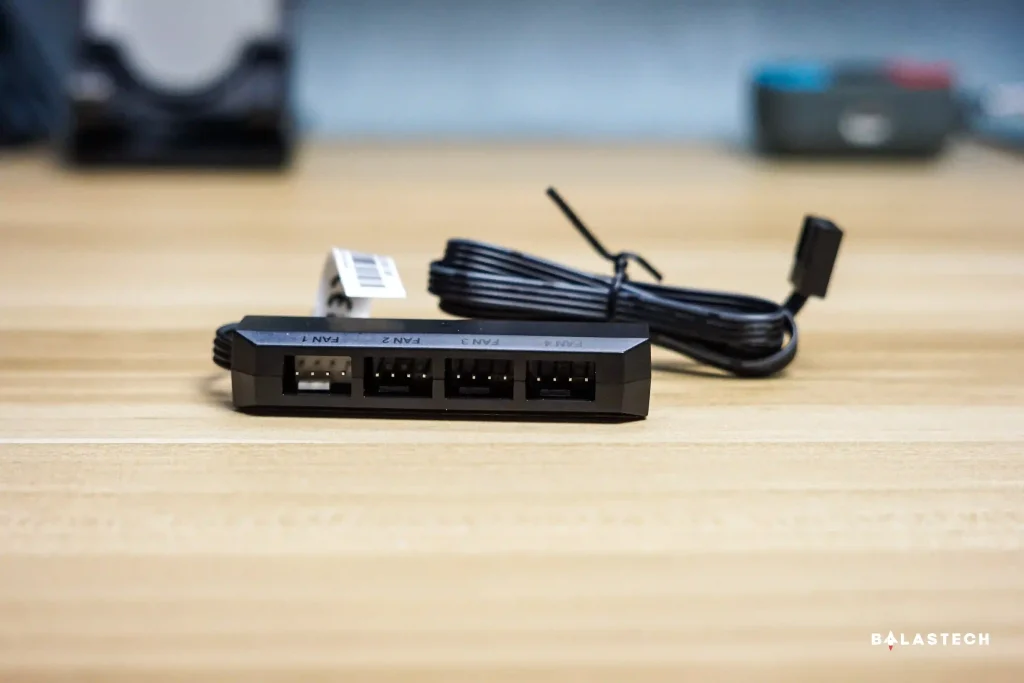
    DeepCool FH-04 fan hub
    DeepCool FH-04 fan hub

    It has a 4-pin connector and 4-pin socket so you can daisy chain to connect all of your fans. However, I suggest buying a fan hub like the DeepCool FH-04 with four PWM fan sockets, or a fan hub that has at least 8 sockets, an ARGB interface, and a SATA power port. 

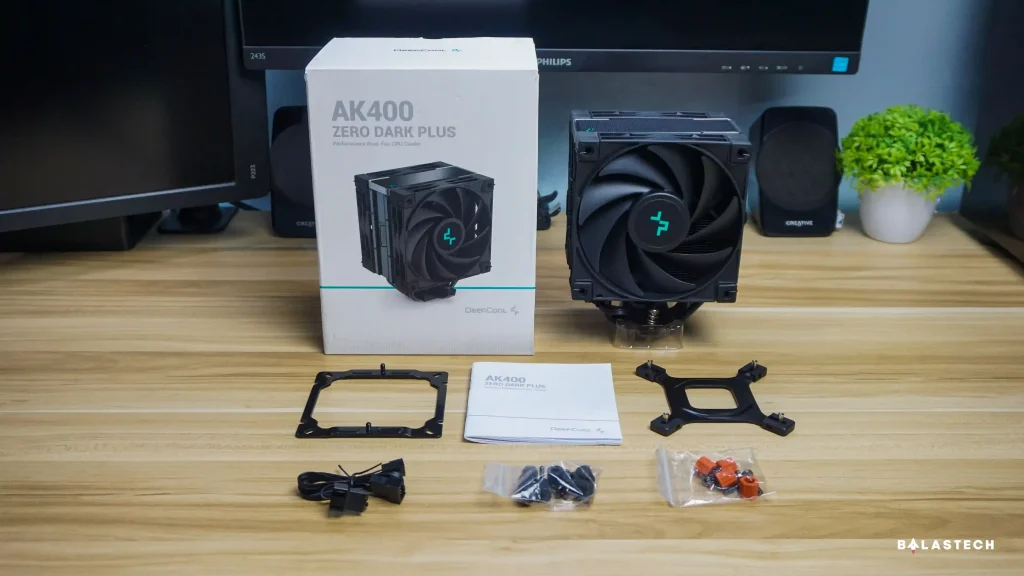
    DeepCool AK400 ZERO DARK PLUS Accessories
    DeepCool AK400 ZERO DARK PLUS Accessories

    DeepCool AK400 ZERO DARK PLUS 

    If you want a modern-looking but relatively inexpensive tower cooler or air cooler, the DeepCool AK400 ZERO DARK PLUS is the perfect one as it features a cool all-black design and efficient performance. 

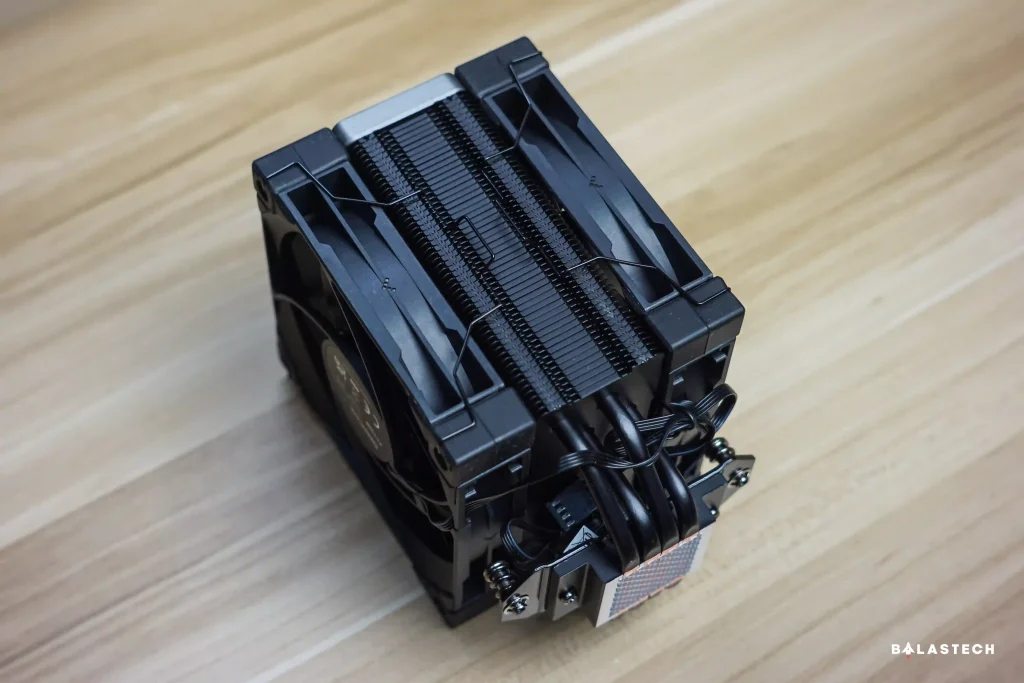
    This cooler has advanced heat dissipation since it has four direct-touch copper heat pipes that transfer the heat away from the processor. It delivers exceptional cooling performance because it is claimed to feature up to 220W of heat dissipation efficiency. 

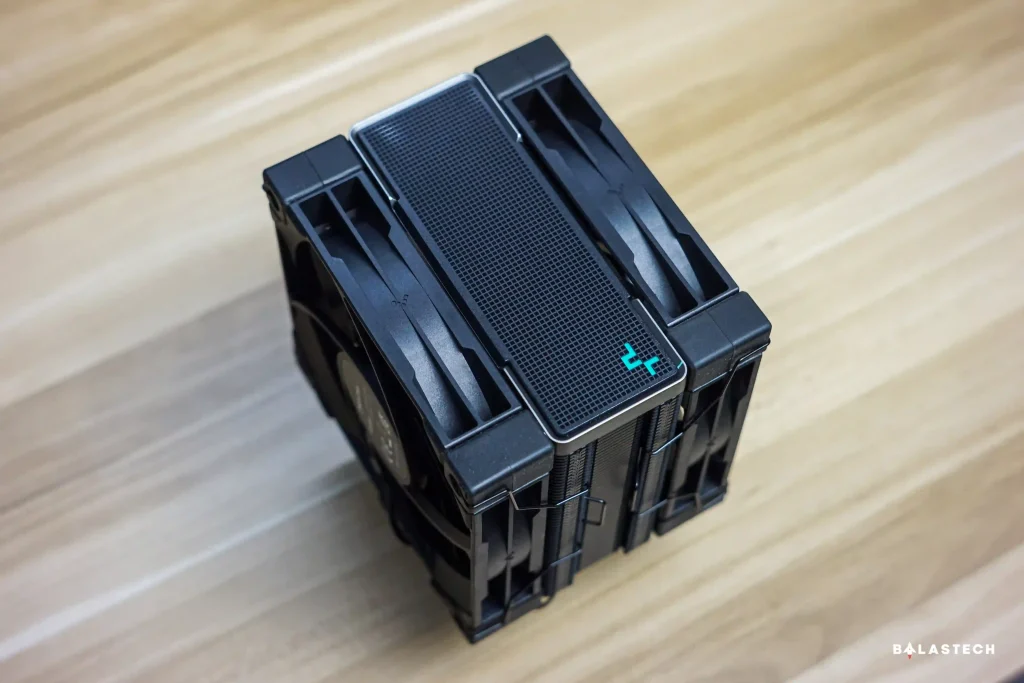
    DeepCool AK400 ZERO DARK PLUS Top view
    DeepCool AK400 ZERO DARK PLUS Top view
    DeepCool AK400 ZERO DARK PLUS Side view
    DeepCool AK400 ZERO DARK PLUS Side view

    The AK400 ZERO DARK PLUS also has two high-performing fluid dynamic bearing fans that offer 500-1650 RPM fan speed, 50,000 hours long operational lifespan, and 28dBA full load noise output. 

    Moreover, the installation is also straightforward, requiring just a five-step process. It is also widely compatible with multiple platforms as it supports Intel LGA1700/1200/1151/1150/1155 and AMD AM4/AM5 sockets. Its dimension is 127mm (L) x 123mm (W) x 155mm (H). 

    Before buying it, it is also important to consider its dimensions because it doesn’t fit on some PC cases. Make sure that your PC case supports up to 155mm (height) cooler. 

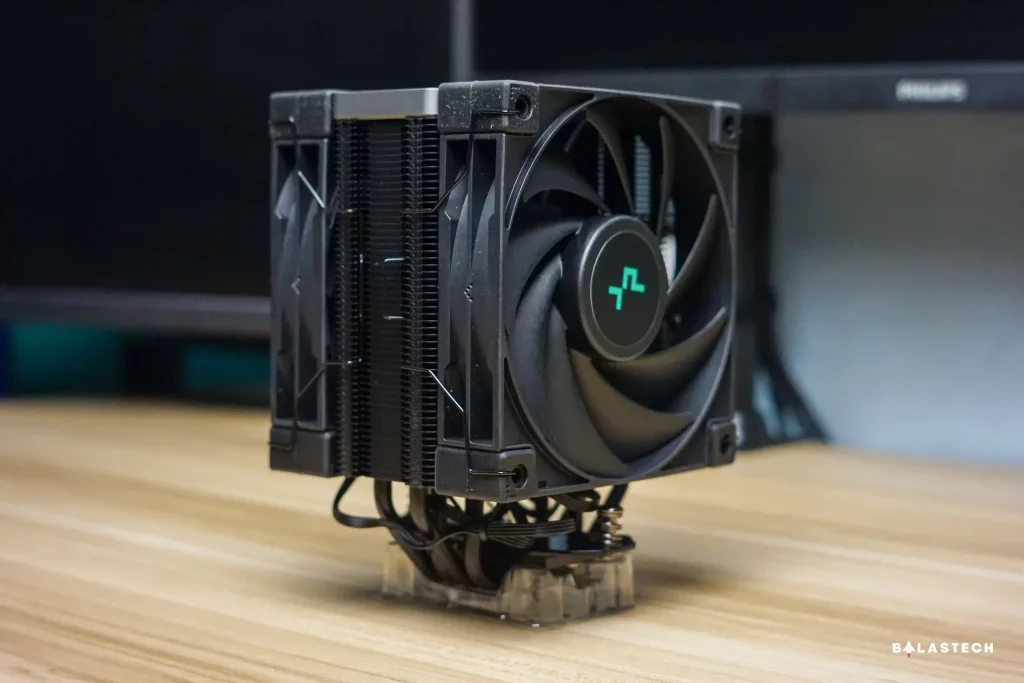
    DeepCool AK400 ZERO DARK PLUS
    DeepCool AK400 ZERO DARK PLUS

    I’ve been using this tower cooler for almost 7 months now, and it really gives me good cooling performance even in this summer season. I mainly use my desktop computer to edit 4K videos and do some light gaming such as Valorant and Genshin Impact but the only CPU max temperature I get is under 68 degrees Celsius. 

    As far as I remember, it reached 77-80 degrees Celsius when I only used the stock cooler, although that’s not too high because most of our CPUs can run even at 95 degrees Celsius. Even if it’s not too hot, it’s still better to keep our PC cool so that we can prolong our PC components. 

    My PC Specifications (For Reference) 
    • CPU: AMD Ryzen 4600G
    • Motherboard: MSI A320m PRO-VH
    • RAM: 2x16GB 3,200MHz DDR4 TeamGroup Elite Vulcan TUF
    • GPU: Galax GeForce GTX 1660 Super
    • SSD: 1TB Samsung 970 EVO Plus
    • PSU: 650W FSP HV Pro 650 80+ Bronze
    • Case: RAKK Anyag 

    Conclusion 

    The heat of our weather today is no joke, so it’s good that we keep our desktop computers cool. The efficient fans available in our market such as DeepCool ZERO DARK PLUS and Arctic P12 PWM PST are essential in our PCs to keep them cool and keep the performance stable. You also have many other choices that also perform well, especially if you also want your fans to have RGB lighting. But those that we have featured have impressive price-performance offerings. 

    Related article: Effective Ways to Keep Your Laptop Cool

    Price and availability 

    • Arctic P12 PWM PST – PHP 355 | Shopee link | Lazada link
    • DeepCool FH-04 – PHP 200 | Shopee link | Lazada link
    • DeepCool AK400 ZERO DARK PLUS – PHP 2,195 | Shopee link | Lazada link 

    You can now buy these fans through Shopee and Lazada as well as in some computer stores nationwide. 

    Arctic Arctic P12 PWM PST Case Fan CPU Fan DeepCool DeepCool AK400 ZERO DARK PLUS
    Share. Facebook Twitter Pinterest LinkedIn Email
    Dante Bisais
    • Website
    • Facebook
    • X (Twitter)
    • Pinterest
    • Instagram
    • LinkedIn

    Dante is an Information Technology graduate who is fascinated by technology especially computers. His passion for computers started when he was 11 years old, that inspired him to explore further. Besides writing, he also share his reviews on his YouTube channel.

    Related Posts

    How to Enable GCash Watch Pay on Your HUAWEI Wearables

    April 5, 2025

    Upgrade Your Home Network with Mercusys’ Wi-Fi 7 Devices

    March 3, 2025

    How to Capture Picture-Perfect Portraits with the OPPO Find X8, according to Magic Liwanag

    December 8, 2024

    2024 Affordable Tablets in the Philippines

    July 8, 2024

    Comments are closed.

    • Facebook 16K
    • Instagram
    • YouTube 38.3K
    • TikTok
    • Twitter
    • LinkedIn
    Latest

    Nothing Phone (4a) series launching March 5

    February 20, 2026

    AGON by AOC Announces First-Ever Collaboration with Global Hit Anime DAN DA DAN

    February 16, 2026

    MOVE IT Launches “Keep Moving” Promise to Improve Reliability and Safety for Metro Commuters

    February 14, 2026
    BALASTECH
    Facebook YouTube TikTok X (Twitter) Instagram
    • Home
    • About Us
    • Contact Us
    • Privacy Policy
    • Terms and Conditions
    Copyright © 2026. BALASTECH

    Type above and press Enter to search. Press Esc to cancel.