


Close Menu
    Facebook X (Twitter) Instagram
    Latest Tech News in The Philippines
    Facebook YouTube TikTok X (Twitter) Instagram
    BALASTECHBALASTECH
    • Tech News
    • Reviews
    • Gaming
    • Tech Tips
    BALASTECHBALASTECH
    Home»Tech News»You can now send money to non-GCash users via GCash Padala
    Tech News

    You can now send money to non-GCash users via GCash Padala

    Dante BisaisBy Dante BisaisJuly 26, 2021Updated:April 22, 20222 Mins Read
    Facebook Twitter LinkedIn Email
    GCash Padala
    Share
    Facebook Twitter LinkedIn Pinterest Email

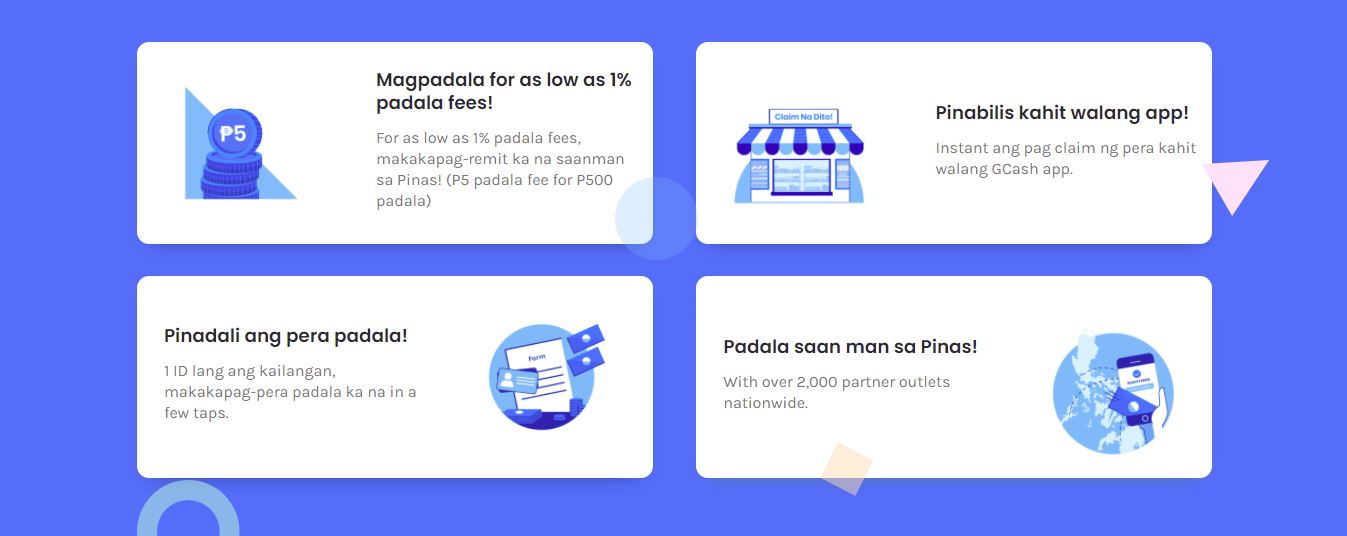
    GCash announces its new remittance feature GCash Padala. It allows you to send money to friends and family members who do not have a GCash account.

    GCash Padala

    According to GCash, if a user transfers money to a non-GCash user, an additional fee (based on the amount) will be taken from their wallet. The minimum and maximum amounts that a user can send are PHP 500 and PHP 5,000, respectively. However, the charge will be reimbursed if the recipient claims the money by registering with GCash.

    Moreover, the additional fee when you send an amount of PHP 500 will be 1% or PHP 5. But if you send between PHP 500.01 – PHP 5,000 the calculated fee will be 1.5% of the amount sent.
    GCash Padala
    Here’s how you can send money:
    1. Open your GCash app and go to the dashboard and click Send Money.
    2. Select GCash Padala.
    3. Fill in the recipient’s information and press Next.
    4. Review the details before confirming. (Double-check the recipient’s information, the amount, as well as the fee to be deducted)
    5. Click PAY to confirm your transaction. Then, you will receive an SMS to confirm your transaction.
    How to claim the money?

    If you received money from GCash Padala, you have two options for claiming it:

    1. Download and sign up to GCash – your received money will be automatically added to your GCash wallet after registering.
    2. Claim your money at an outlet – you may check the GCash Padala outlet list here.

    Upon claiming, you must present the following information to the cashier: your name, amount to be claimed, reference Number or GCash SMS you received, and valid government ID.

    Related Articles:
    • Payoneer has partnered with GCash
    • New payment platform PacPay will be launched in 2021

    You will also need to fill out a form for verification. Then cash will be given over to you when the cashier validates your request. The cash has been claimed, and your Sender has been notified by SMS.

    Download GCash now in Google Play Store or Apple App Store. 

    gcash GCash Padala
    Share. Facebook Twitter Pinterest LinkedIn Email
    Dante Bisais
    • Website
    • Facebook
    • X (Twitter)
    • Pinterest
    • Instagram
    • LinkedIn

    Dante is an Information Technology graduate who is fascinated by technology especially computers. His passion for computers started when he was 11 years old, that inspired him to explore further. Besides writing, he also share his reviews on his YouTube channel.

    Related Posts

    HUAWEI nova 14 Series is launching in the Philippines on November 27

    November 22, 2025

    vivo X300 Pro and vivo X300 Set to Launch in the Philippines on November 26

    November 19, 2025

    nubia Philippines launches the nubia V80 Design and nubia Air as the holiday season kicks in with good vibes and great tech

    November 17, 2025

    ASUS ROG Grand Tech Fair 2025 Kicks Off with Discounts, Rebates, and a Mio Fazzio Raffle

    November 14, 2025
    Leave A Reply Cancel Reply

    • Facebook 16K
    • Instagram
    • YouTube 38.3K
    • TikTok
    • Twitter
    • LinkedIn
    Latest

    HUAWEI nova 14 Series is launching in the Philippines on November 27

    November 22, 2025

    nubia V80 Design Review: Looks Flagship, Priced Like Entry-Level

    November 20, 2025

    vivo X300 Pro and vivo X300 Set to Launch in the Philippines on November 26

    November 19, 2025
    BALASTECH
    Facebook YouTube TikTok X (Twitter) Instagram
    • Home
    • About Us
    • Contact Us
    • Privacy Policy
    • Terms and Conditions
    Copyright © 2025. BALASTECH

    Type above and press Enter to search. Press Esc to cancel.