

Close Menu
    Facebook X (Twitter) Instagram
    Latest Tech News in The Philippines
    Facebook YouTube TikTok X (Twitter) Instagram
    BALASTECHBALASTECH
    • Tech News
    • Reviews
    • Gaming
    • Tech Tips
    BALASTECHBALASTECH
    Home»Apps»Smart introduces the GigaPay, Build Your Own GIGA, and other new features in their GigaLife App
    Apps

    Smart introduces the GigaPay, Build Your Own GIGA, and other new features in their GigaLife App

    Dante BisaisBy Dante BisaisJuly 14, 2021Updated:April 22, 20222 Mins Read
    Facebook Twitter LinkedIn Email
    GigaLife Update
    Share
    Facebook Twitter LinkedIn Pinterest Email

    Smart launches its biggest update on GigaLife App that introduces the GigaPay, Build Your Own GIGA, and other new features.

    GigaPay

    Smart Communications’ GigaPay is a new payment function in their GigaLife App. It enables you to manage and integrate different payment options to your GigaPay account, as well as top up and pay bills. Furthermore, it enables you to purchase your favorite GIGA promotions or data more easily and simply.

    GigaPay

    Using GigaPay will provide you with a simple way to handle all of your payments within the GigaLife App. GigaPay makes it easy to earn points with your purchases and provides you with access to exclusive promotions.

    GigaPay

    In addition, to utilize this feature you must link your PayMaya account or Credit/Debit card.

    Build Your Own GIGA (BYOG)

    Build Your Own GIGA (BYOG) is the newest feature on the GigaLife App that allows you to mix-and-match GIGA promos and other Smart services. As a result, it will generate your own unique GIGA combinations for you to enjoy and share with others. Additionally, using this feature, you may find a fantastic combination that provides the most value.

    Build Your Own GIGA

    Likewise, you may combine any GIGA and GIGA PRO promotions listed on the GigaLife App’s BYOG page. You can also add Unli Calls and Texts and select a validity period. Furthermore, combinations start at PHP 50.

    You can also earn GigaPoints every time your friend uses the code of your combination GIGA promo.

    How can you make a BYOG?

    Just open your GigaLife App and select the “Build Your Own GIGA” icon then select “Build” to create your own GIGA combination. But do take note that only the main account in your GigaLife can do BYOG.

    Inbox

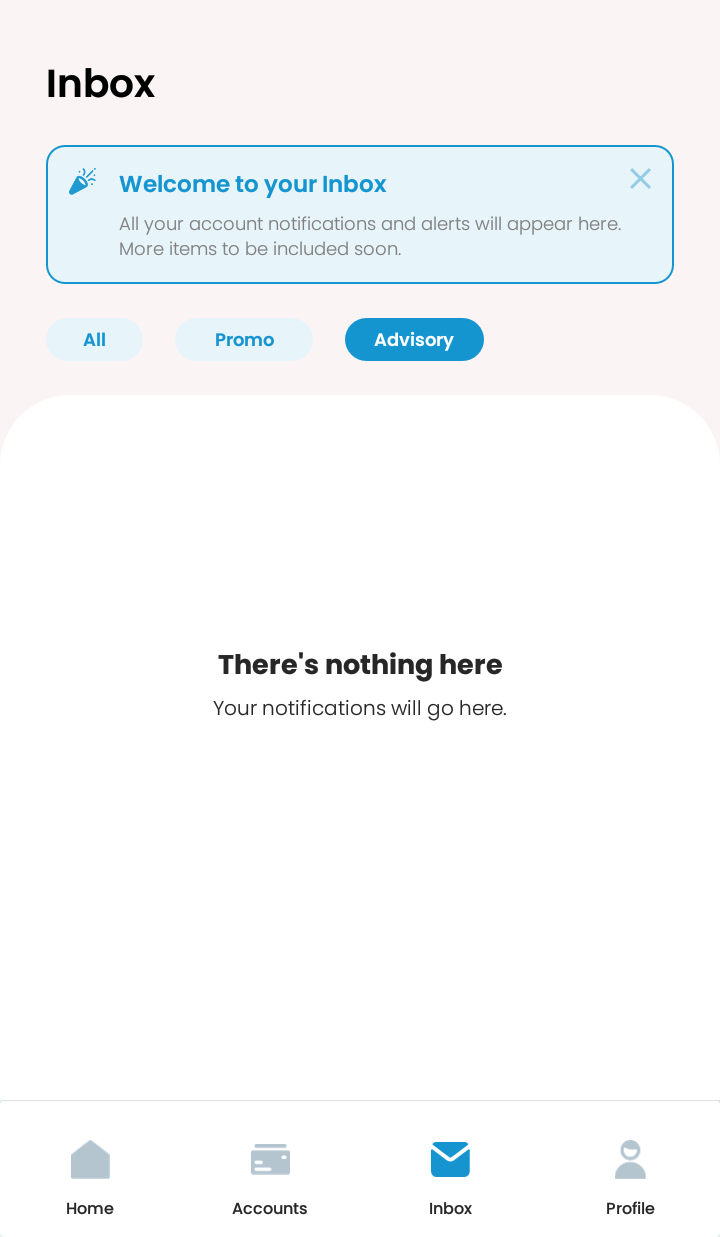
    GigaLife now has an Inbox feature in which all your account notifications and alerts will appear including promo and advisory. However, it will have more items to include soon.
    Inbox
    Related Articles:
    • Smart made the non-5G UNLI DATA available again in GigaLife App with more affordable pricing
    • Smart brings back double data for Famload and GIGA promos

    For more information, just download the GigaLife App.

    Build Your Own GIGA GigaLife GigaPay Inbox feature Update
    Share. Facebook Twitter Pinterest LinkedIn Email
    Dante Bisais
    • Website
    • Facebook
    • X (Twitter)
    • Pinterest
    • Instagram
    • LinkedIn

    Dante is an Information Technology graduate who is fascinated by technology especially computers. His passion for computers started when he was 11 years old, that inspired him to explore further. Besides writing, he also share his reviews on his YouTube channel.

    Related Posts

    OPPO Find N6 Now Available Via Globe Postpaid

    May 8, 2026

    vivo Y31d Launching in PH on May 9 with 7,200mAh Battery and IP68/IP69 Rating

    April 29, 2026

    Your Summer Best Mate: HUAWEI Mate 80 Pro at PHP 64,999 for a Limited Time

    April 25, 2026

    STT GDC Study: Philippines AI Adoption Strong but Scaling Blocked by Infrastructure and Talent Gaps

    April 25, 2026
    Leave A Reply Cancel Reply

    • Facebook 16K
    • Instagram
    • YouTube 38.3K
    • TikTok
    • Twitter
    • LinkedIn
    Latest

    Nothing Headphone (a) Review: Looks Good, Sounds Good, But Is It Worth It?

    May 8, 2026

    OPPO Find N6 Now Available Via Globe Postpaid

    May 8, 2026

    OPPO Reno15 F 5G Review: Can It Keep Up with Your Daily Needs?

    May 4, 2026
    BALASTECH
    Facebook YouTube TikTok X (Twitter) Instagram
    • Home
    • About Us
    • Contact Us
    • Privacy Policy
    • Terms and Conditions
    Copyright © 2026. BALASTECH

    Type above and press Enter to search. Press Esc to cancel.