




Just got your new Prepaid GOMO eSIM? Follow this quick guide to install it on your iPhone or Android phone.
Before You Begin
Before you begin, make sure your smartphone supports eSIM.
If you already have another eSIM active on your device, disable it first before installing your new GOMO eSIM.
To disable an active eSIM on iPhone, go to:
Settings > Cellular > Select your active eSIM > Turn Off
To disable an active eSIM on Android, go to:
Settings > Connections (or Network & Internet) > SIM Manager > Select your active eSIM > Turn Off
Once you’re ready, follow the steps below to install your new GOMO Prepaid eSIM on your iPhone or Android smartphone.
On iPhone
- Open Settings.
- Go to Cellular.
- Tap Add eSIM.
- Click Use QR Code.
- Scan the QR code sent to your email.
- Tap Continue.
- Continue until the setup is complete.
Your GOMO eSIM is now installed and ready to use.
On Android
- Go to Settings.
- Go to Mobile Network or Network & Internet.
- Tap SIM Management.
- Select Add eSIM or Add Carrier.
- Click Set Up an eSIM.
- Scan the QR code from your email.
- Click Setup.
- Go to Settings.
- Enable new GOMO eSIM.
Once completed, your GOMO eSIM is now good to go.
Step-by-Step YouTube Tutorial
Register your GOMO Prepaid eSIM
Remember that all newly purchased GOMO Prepaid SIMs and eSIMs must be registered before they can be activated.
If you need help, you can also check out our step-by-step GOMO SIM registration tutorial.
Where to buy
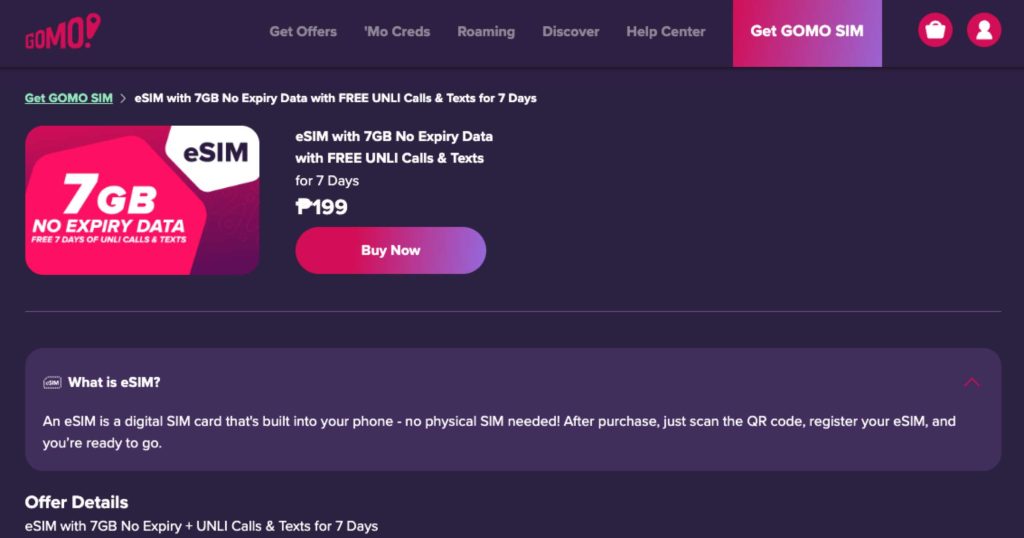
You can easily get a GOMO Prepaid eSIM 7GB No Expiry Data with FREE UNLI Calls & Texts from GOMO Stores, the GOMO website, or the GOMO app for PHP 199.
If you purchase online, your eSIM activation QR code will be sent to your registered email address.
More eSIM tutorials
If you’re looking for other tutorials, we also have tutorials on how to install Smart eSIM, DITO eSIM, and Globe eSIM on compatible smartphones.
And if you’re already using an eSIM and switching to a new phone, check out our guides on how to transfer your existing eSIM without buying a new one.
Lastly, we also made tutorials on how to convert your physical SIM to an eSIM, so feel free to use that as a reference.
