

Close Menu
    Facebook X (Twitter) Instagram
    Latest Tech News in The Philippines
    Facebook YouTube TikTok X (Twitter) Instagram
    BALASTECHBALASTECH
    • Tech News
    • Reviews
    • Gaming
    • Tech Tips
    BALASTECHBALASTECH
    Home»Tech Tips»How To Make Your Home Prepaid WiFi Faster
    Tech Tips

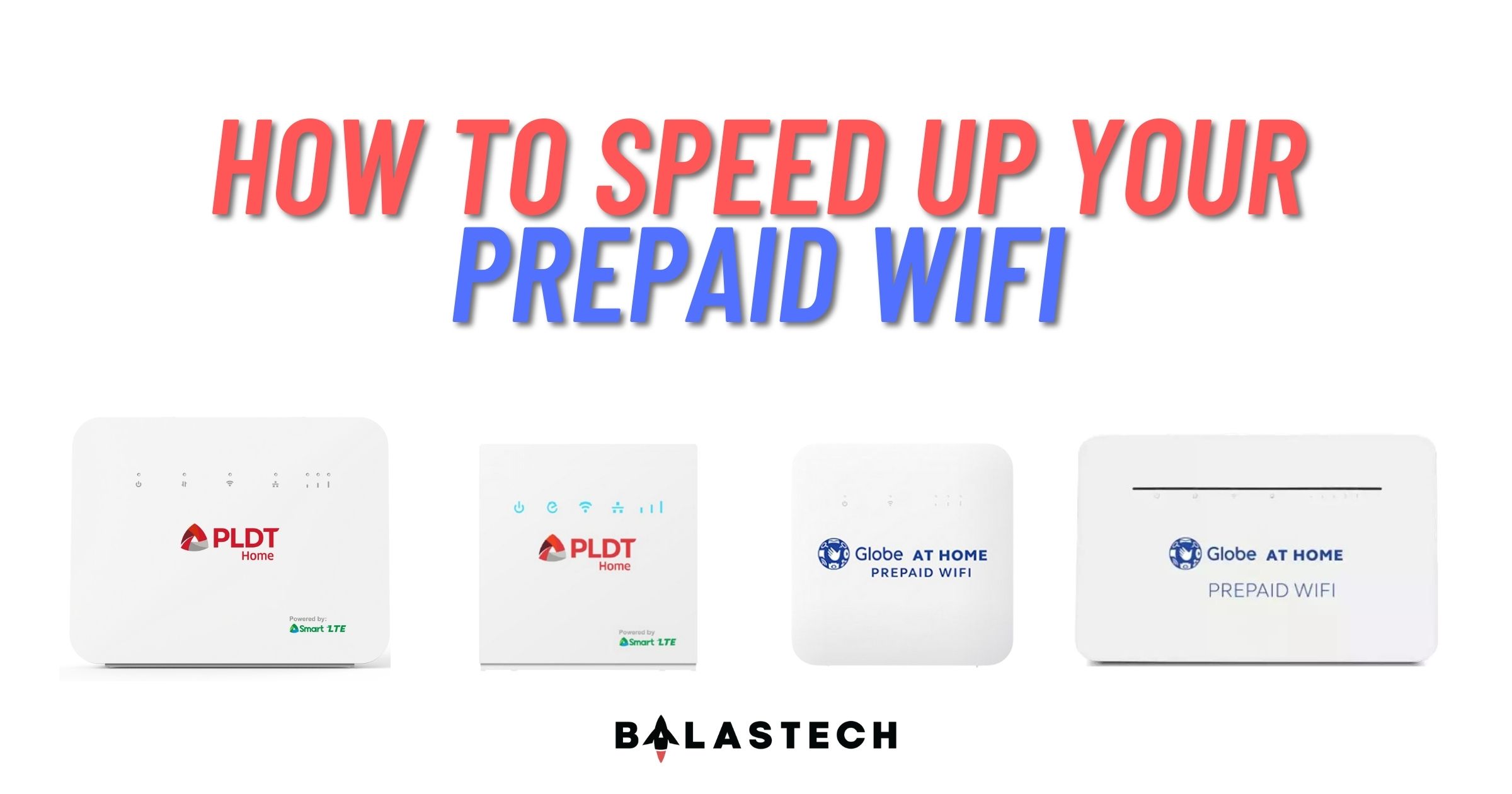
    How To Make Your Home Prepaid WiFi Faster

    Dante BisaisBy Dante BisaisJuly 8, 2021Updated:April 22, 20223 Mins Read
    Facebook Twitter LinkedIn Email
    Prepaid WiFi
    Share
    Facebook Twitter LinkedIn Pinterest Email

    Are you struggling with the sluggish internet speed of your Prepaid WiFi? Or do you keep getting disconnected in your online class? Besides, maybe you are also experiencing buffering when streaming YouTube videos or your favorite Kdrama?

    Video buffering

    As the pandemic continues, employees remain in a work-from-home setup, while students still conducting their classes online. With that, it is important to have a better and stable internet connection. So, in case you experience those problems above, we have solutions you might try with your Prepaid WiFi.

    Proper location

    Placing your device next to concrete walls or metal objects may interfere with the signal of your device. Also, take note that appliances such as LED lights and microwave ovens may weaken the signal.

    Globe At Home Prepaid WiFi

    You should move away your device to the things mentioned above to have a better signal. However, you might try placing it in the center of your house or place it in your window. Besides, try to test your internet speed every time you move your device.

    Change LTE band

    Are you confused why your internet speed is slow even you have a full bar signal? Maybe because the cell tower where you are connected is already congested. Most Prepaid WiFi nowadays supports a minimum of three LTE bands.  Changing your device’s LTE band will drastically increase your internet speed. However, some of Prepaid WiFi device does not have an option to change a band.

    Changing band

    If you are a Globe Prepaid WiFi user, you can change your band in your device’s gateway with an admin account. Where to find the admin account credentials? Unfortunately, your internet provider does not include it in your purchase.

    Luckily, there are technicians you may see in Facebook groups or marketplace that offer “Admin Access”. That admin access thing is what you need. They will generate a unique admin password intended only for your device. Just take note that it is a paid service. However, they will provide a step-by-step procedure on how to change a band.

    Use outdoor antenna

    In case that the solutions we have mentioned above don’t work, you might consider using an external antenna. Maybe your area is a dead spot or has no available signal. This instance may occur when you are in a province or your area is distant from the cell towers.
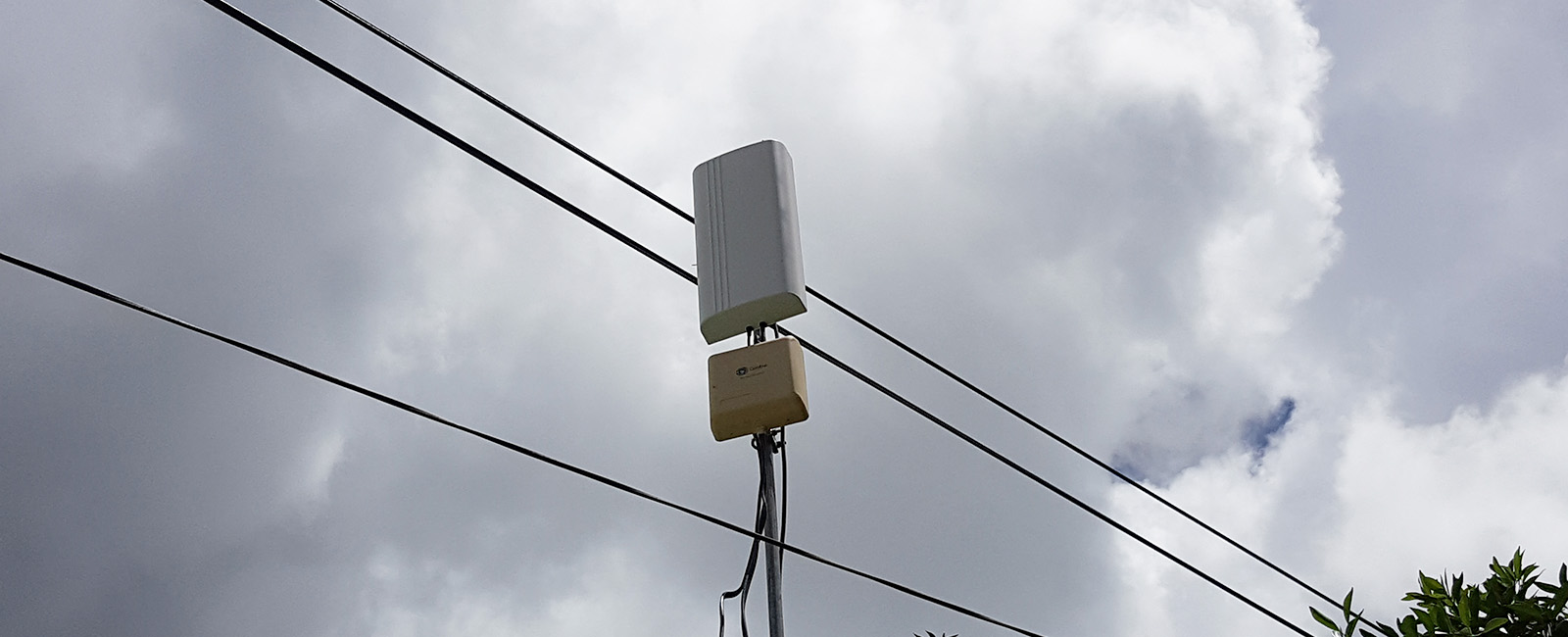
    Outdoor antenna

    Here is the list of recommendable outdoor antennas and their price range:
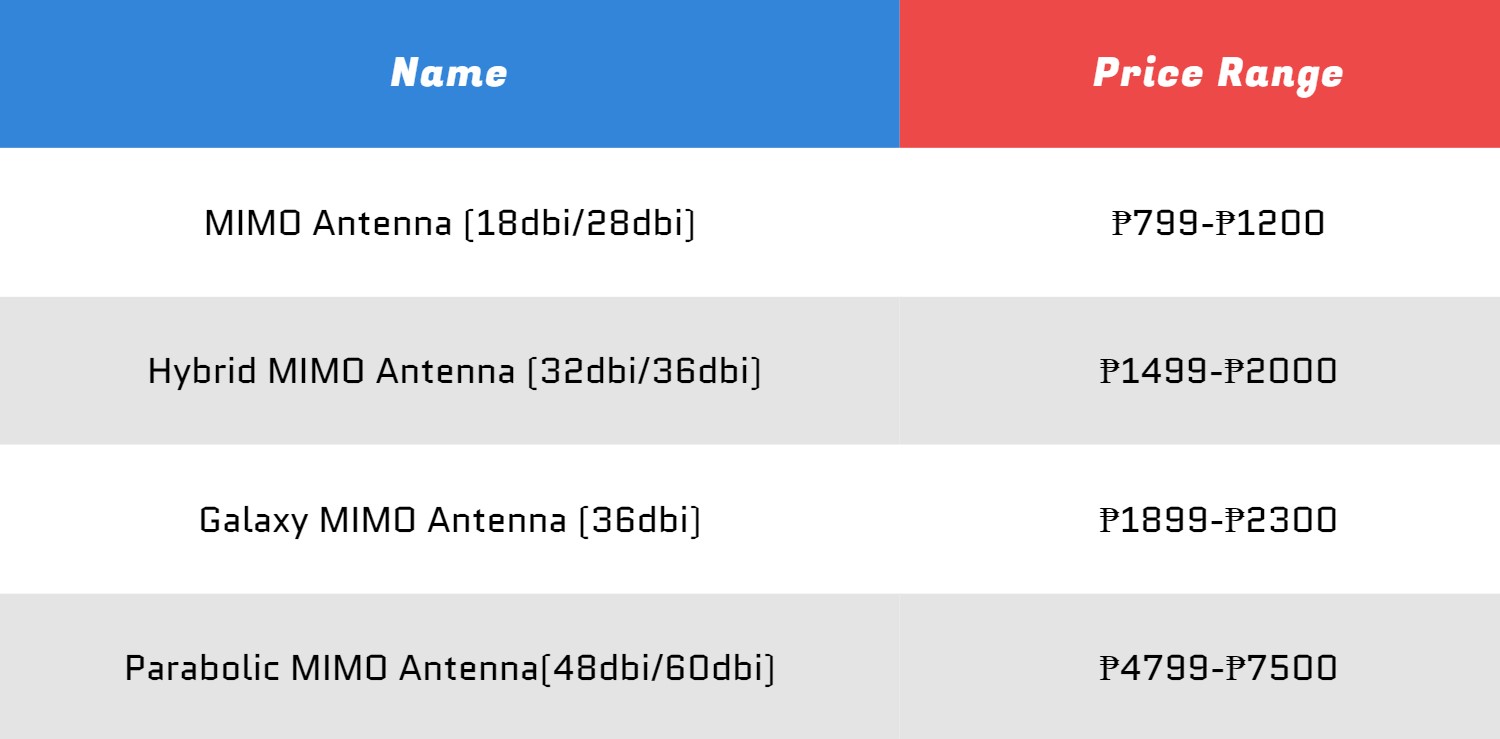
    Antenna price range

    Antennas are a little expensive but we can assure you that they can really boost your internet speed. Therefore, if your Prepaid WiFi modem has an antenna port, we suggest you to avail one if you can. There’s a lot of outdoor antennas available in Facebook Marketplace, Shopee, and Lazada where you can search of.

    Other Tech Tips:
    • Effective Ways to Keep Your Laptop Cool
    • HOW TO CHOOSE FAMLOAD PROMO

    That’s all of our tips for you, we hope that it helps you to get faster internet speed using your Home Prepaid WiFi device. But if our solutions did not work, try using other internet networks.

    If you have other solutions or tips, just mention them in the comment section below. 

    Antenna Globe Prepaid WiFi Mimo modem PLDT Home WiFi
    Share. Facebook Twitter Pinterest LinkedIn Email
    Dante Bisais
    • Website
    • Facebook
    • X (Twitter)
    • Pinterest
    • Instagram
    • LinkedIn

    Dante is an Information Technology graduate who is fascinated by technology especially computers. His passion for computers started when he was 11 years old, that inspired him to explore further. Besides writing, he also share his reviews on his YouTube channel.

    Related Posts

    GCash introduces Virtual US Account to help freelancers manage USD earnings

    March 16, 2026

    ZTE U60 Pro 5G Mobile Hotspot is now available in China

    April 30, 2025

    How to Enable GCash Watch Pay on Your HUAWEI Wearables

    April 5, 2025

    Upgrade Your Home Network with Mercusys’ Wi-Fi 7 Devices

    March 3, 2025
    Leave A Reply Cancel Reply

    • Facebook 16K
    • Instagram
    • YouTube 38.3K
    • TikTok
    • Twitter
    • LinkedIn
    Latest

    vivo X300 Pro Review: A Flagship Camera Beast Worth the Hype

    April 30, 2026

    vivo Y31d Launching in PH on May 9 with 7,200mAh Battery and IP68/IP69 Rating

    April 29, 2026

    HONOR Philippines Teases Miss Universe Philippines 2026 Collaboration for Upcoming AI Smartphone

    April 29, 2026
    BALASTECH
    Facebook YouTube TikTok X (Twitter) Instagram
    • Home
    • About Us
    • Contact Us
    • Privacy Policy
    • Terms and Conditions
    Copyright © 2026. BALASTECH

    Type above and press Enter to search. Press Esc to cancel.